
A PMS in your CMS.
You're the designer, the developer and — somehow — the project manager.
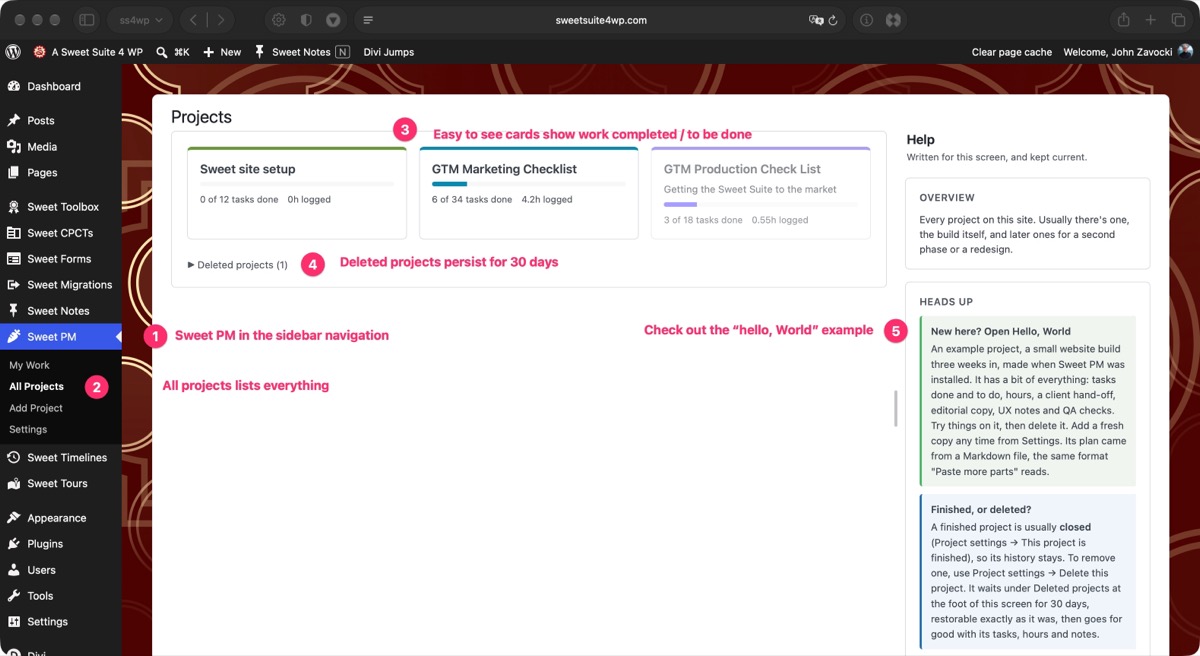
Sweet PM remembers for you: every change from every call and email, written clearly, ticked off, and shown to the client on a private page.
- Paste a Teams summary and the changes come back as tasks
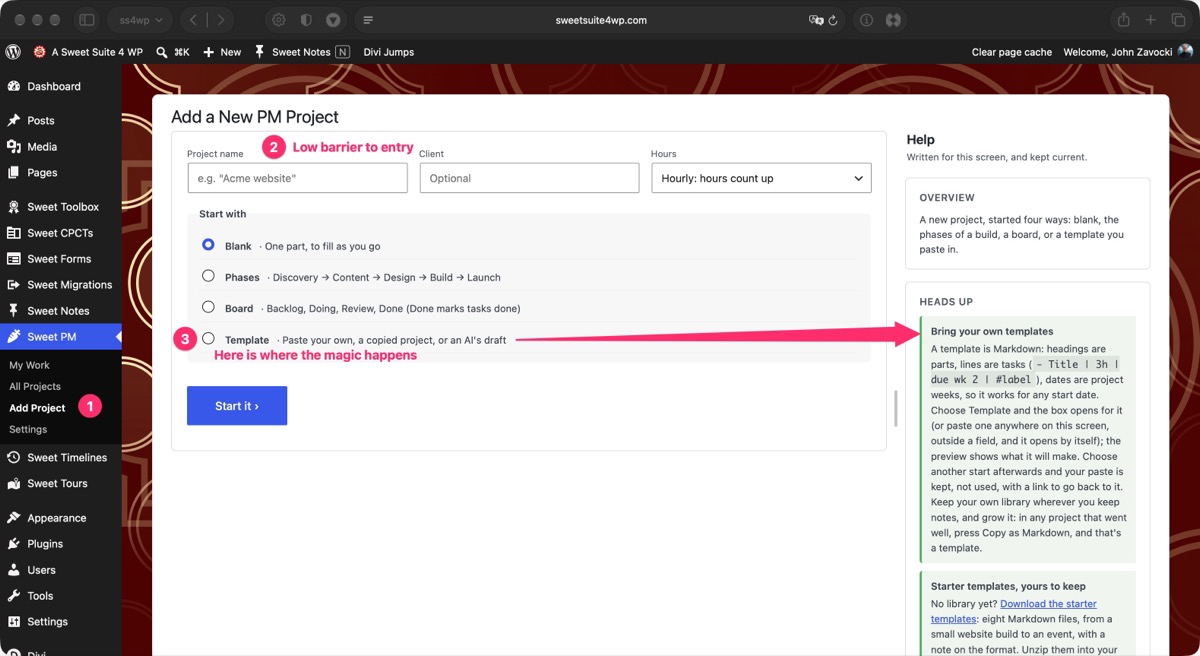
- Plan in Markdown and paste to build it
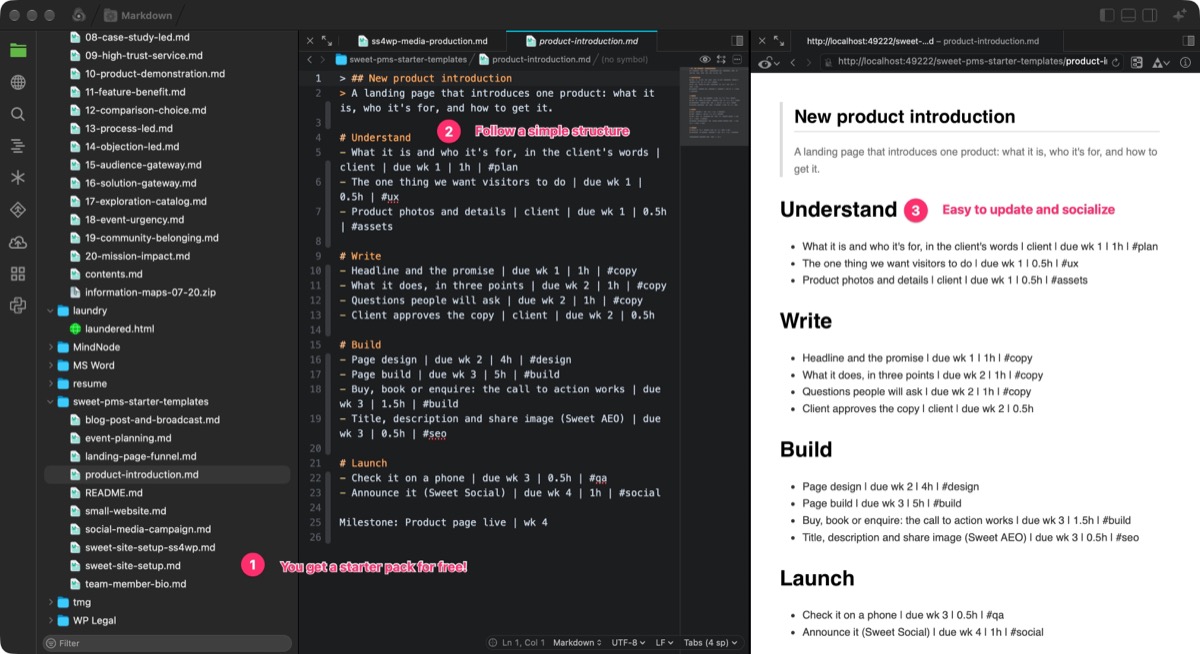
- Keep you're own library of task lists and to dos
- Ask your preferred Ai to build out a plan that is paste ready
Nothing slips because now you have the tools and the time 😉
You never meant to be the project manager
You're the one who owns it. You design the pages, build the site, update the copy, fix the form that broke at 11 at night. Nobody handed you a clipboard and a title — but somewhere between the third client call and the fortieth email, the job of remembering everything landed on you anyway.
So you keep it in your head. In a sticky note. In a "notes to self" email. In the margins of the call you half-listened to while fixing something else. And then the dread: did they ask for the phone number to be bigger, or the logo? Was that a yes, or a "let me think about it"? Did we ever do the thing from last Tuesday?
That's not a time-sheet problem. It's a changes problem. And it's the one Sweet PM was built to solve.
Catch it. Every request lands in one place, the moment it's made. Make it clear. One change per line, with how you'll both know it's done. Do it. Tick it off. Watch the list get shorter. Show it. The client sees it finished, without asking, without logging in.
No dashboards that shout. No overdue emails. No second job managing the tool that manages the work.
Who it's for
The Accidental Project Manager
The freelancer. The two-person studio. The developer whose partner left, the designer who became "the agency" by saying yes once too often. You're good at the work. You're tired of carrying the list.
Sweet PM carries it. It's plain enough to use between real tasks, fast enough to keep up with a call, and calm enough to live with for months. It doesn't ask you to learn project management. It just does the parts you'd otherwise forget.
The hands-on client
Some clients want to be in the room. Often it's because the budget is tight and every hour matters — and they're right to watch. They spot the typo, the broken link, the photo that's wrong. They want to know their note was heard, and that it won't cost them twice.
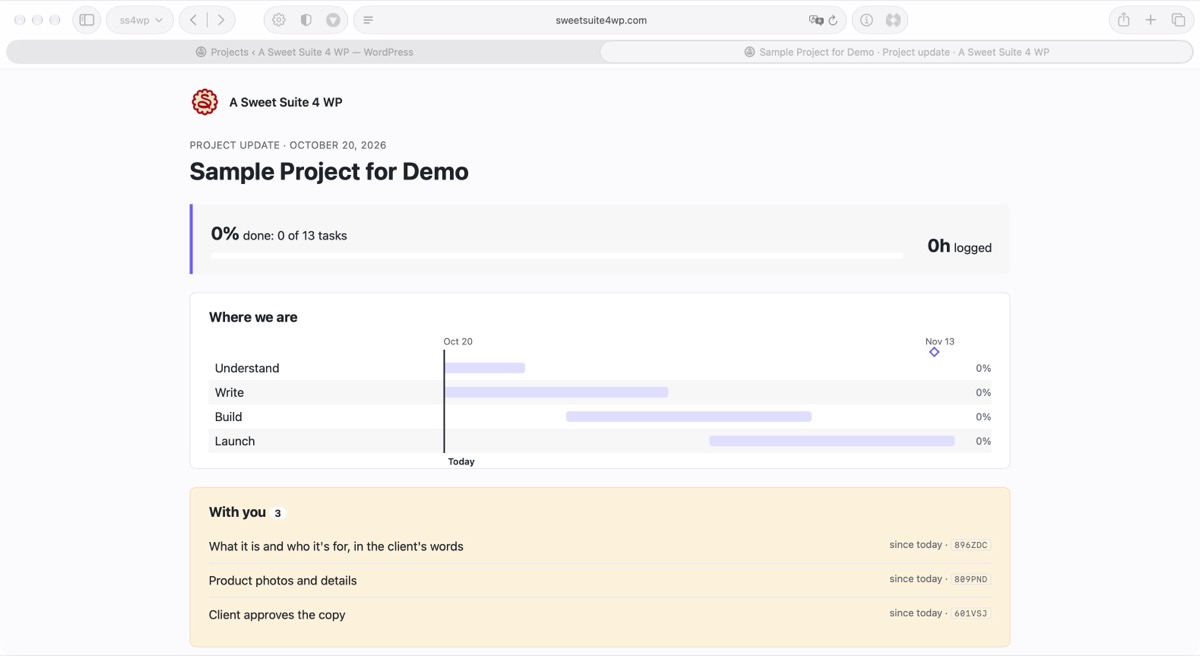
Sweet PM gives that client something better than a login: proof. Every change they raised is on the list, in plain words. Their private status page shows what's done, what's next, and what's with them — so they always know what you're waiting on, and for how long. On a budget project, they see the hours left before they run out, not after. No portal to learn, not another password to forget; in another site they need a tutorial to navigate.
A client who can see their changes being done trusts you. A client who can't starts sending "just checking in" emails.
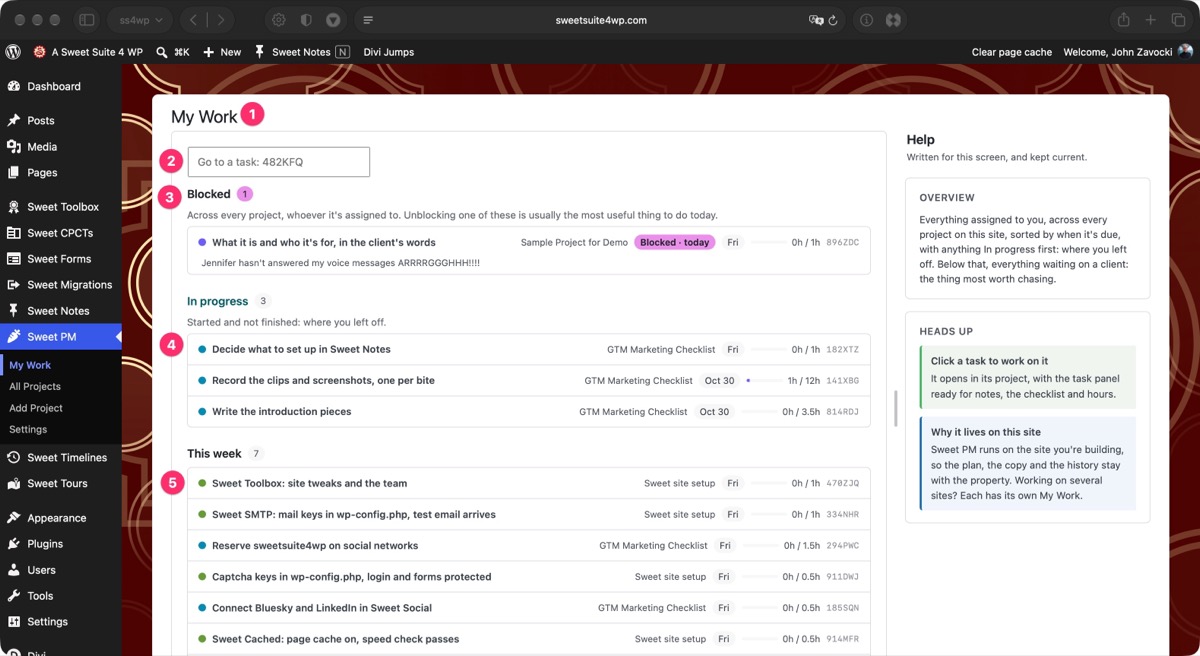
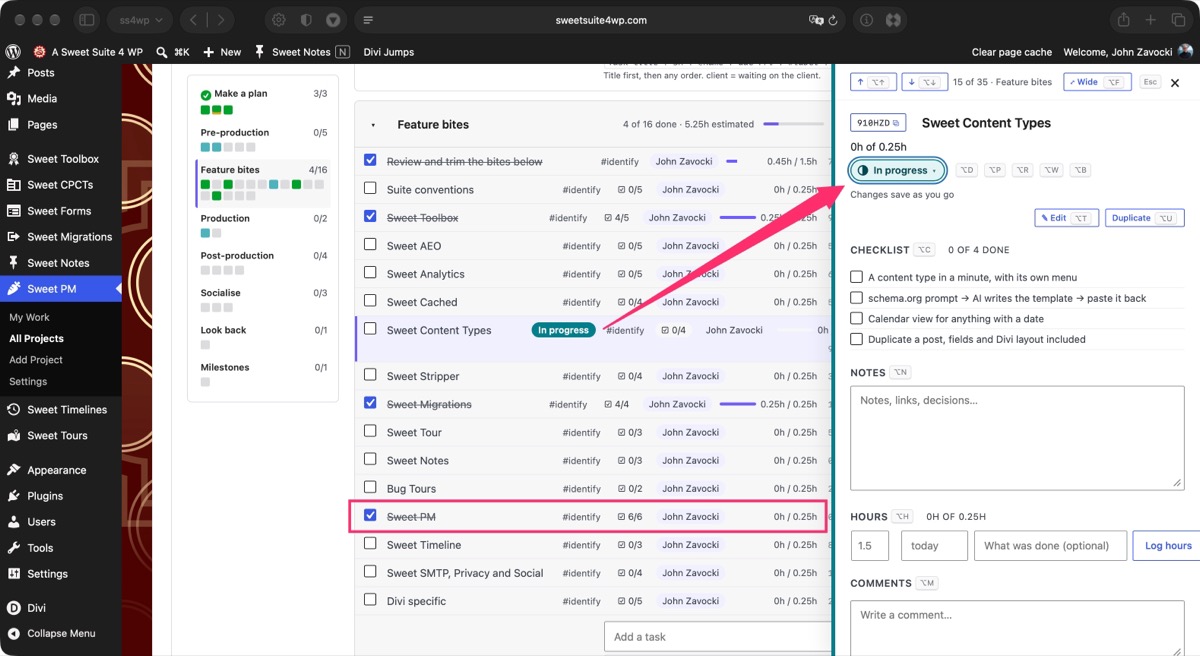
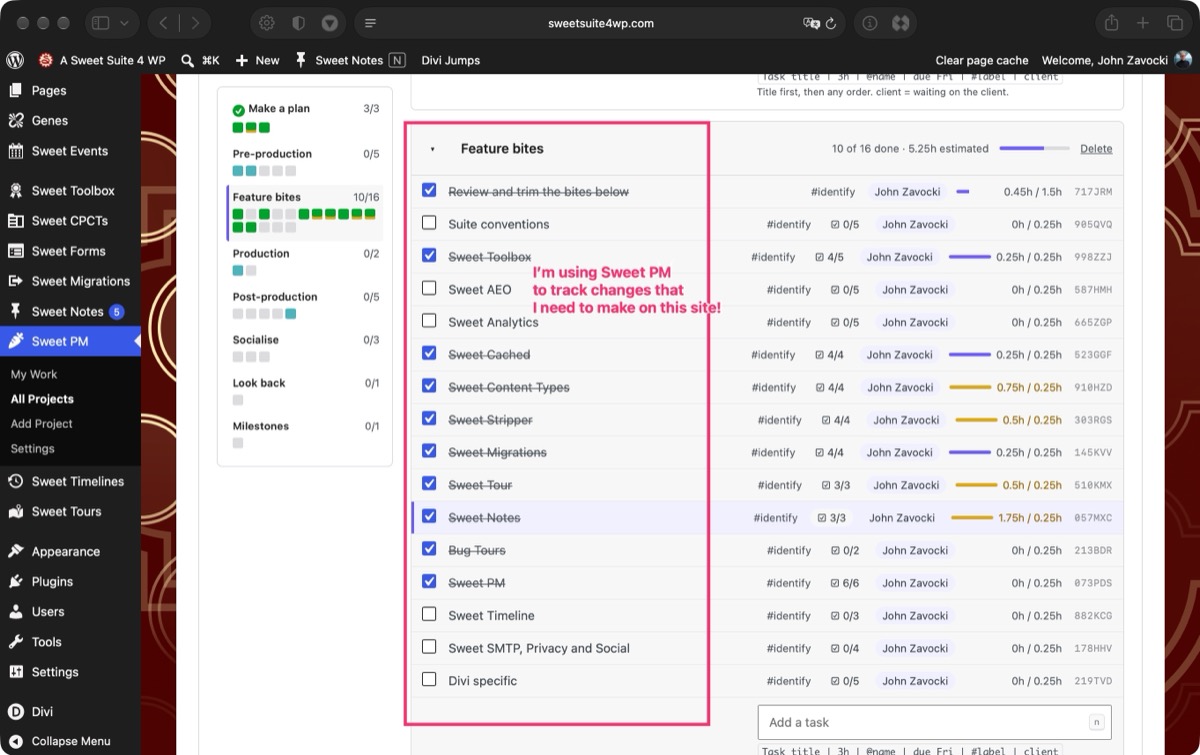
From the call to the list — $free.99
You've just come off a Teams call. Forty minutes, eleven requests, two decisions, one "we'll see". The summary is sitting there. Normally this is where an hour disappears in the "clicky-clicky".
In Sweet PM,
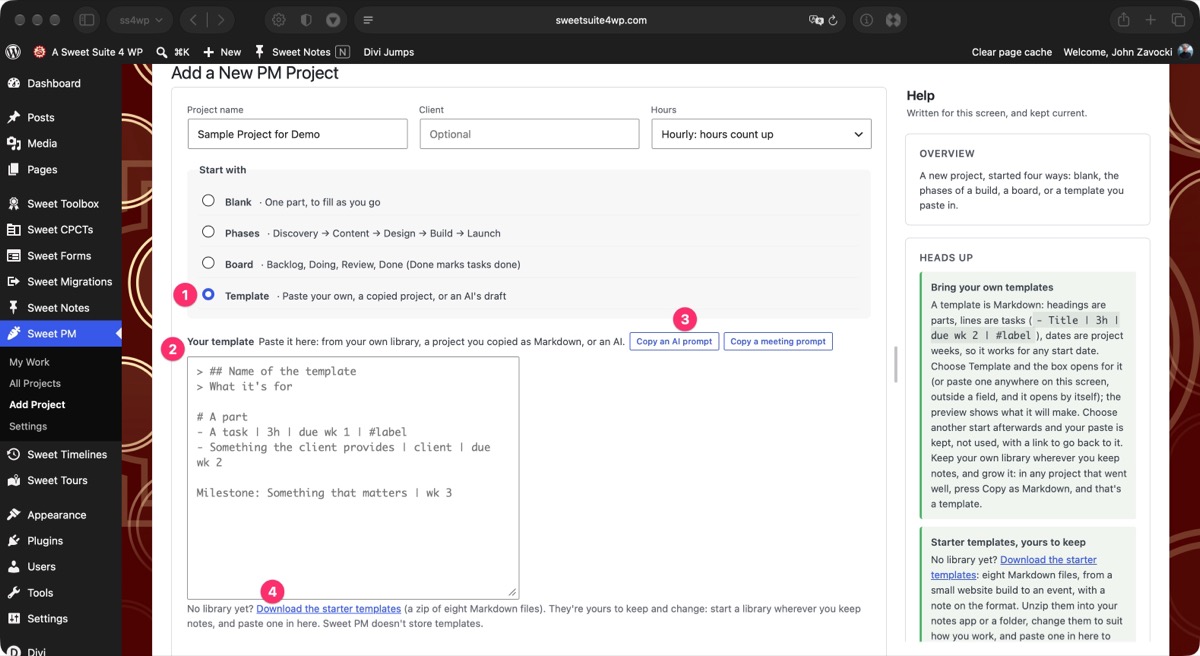
- open Paste more parts and
- press Copy a meeting prompt (⌥M).
- Paste it into Claude — or any AI — with the Teams summary, the transcript or your own scribbled notes.
- Paste the response in to Sweet PM.
What you see isn't a wall of minutes.
It's your list - with all the benefits of a project plan:
- One change per line, starting with a verb and naming the exact place: "Swap the hero photo on the About page", not "photo update".
- Under the part it belongs to — the prompt already knows your project's parts and your team, so the changes land where they should.
- "Done when" checks under each one, so you and the client agree on what finished looks like.
- What the client owes you, marked as waiting on them, with a clock that starts the moment you paste.
- What's stuck, marked as blocked, with what's in the way.
- Anything unclear set aside under Check before you paste, never guessed.
The AI doesn't invent work, and it never puts a price on anything.
You're the Human in the Loop
You see a preview before anything is saved. Press Add. The call is now a list you can finish.
The prompt is free.
No API keys, no account, no connection between Sweet PM and anything else. It's a few hundred words of carefully shaped instructions — the shape of the answer is what makes it work — and it's yours to copy as often as you like.
How it works
Catch it: every request, in one place
- Paste the call. The meeting prompt turns a Teams summary or call notes into clear tasks in a couple of minutes.
- Paste the email. The Brief keeps the client's ask exactly as it arrived — who, when, their words — and their Word file, cleaned of fonts and colours automatically.
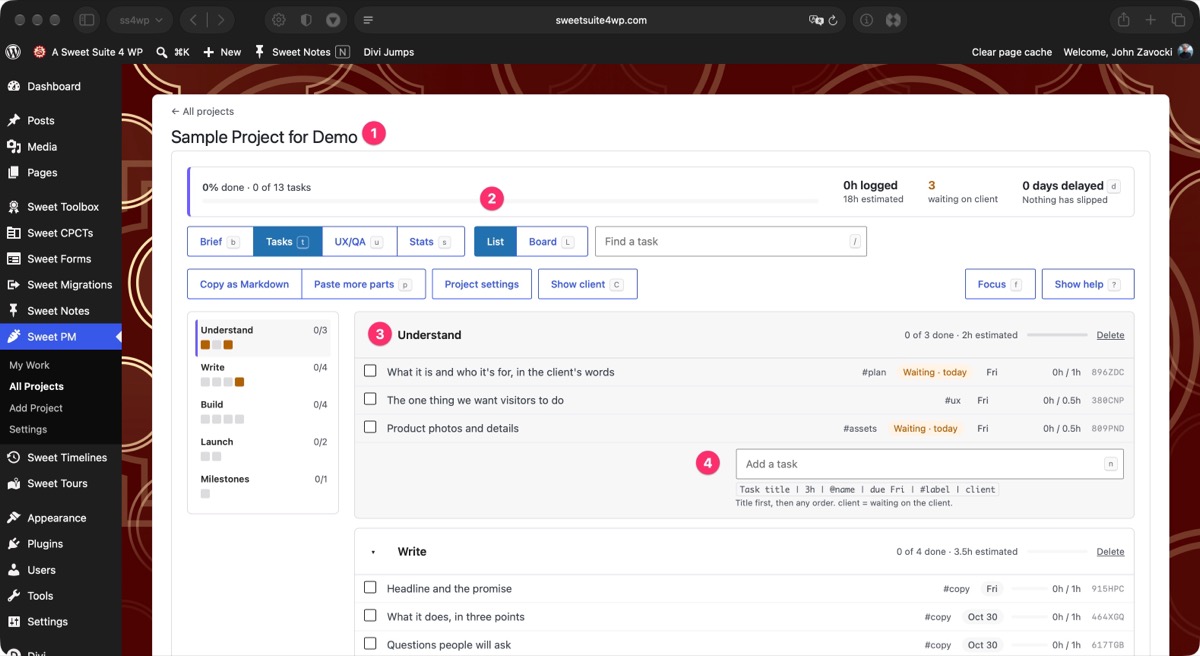
- Type it as fast as you'd say it. Fix the footer phone link | client | due Fri | #fix is a task, a wait on the client, a date and a label, in one line.
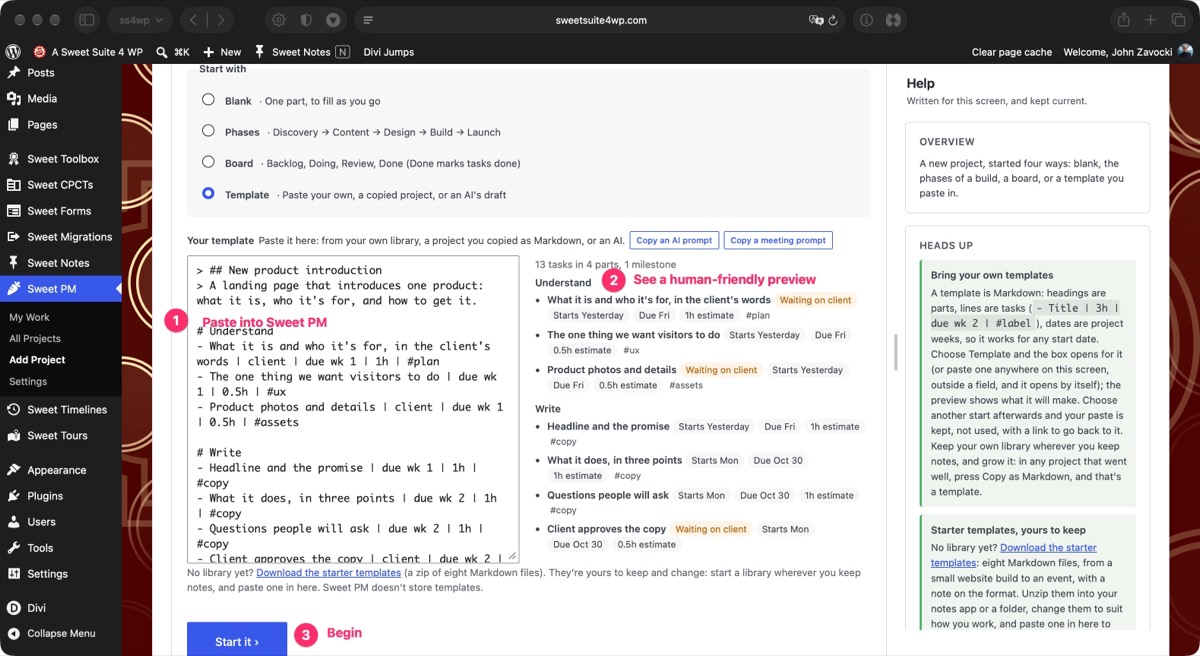
- Paste a whole list from your notes app. Headings become parts, lines become tasks. A heading that matches a part you already have adds to it — nothing is replaced.
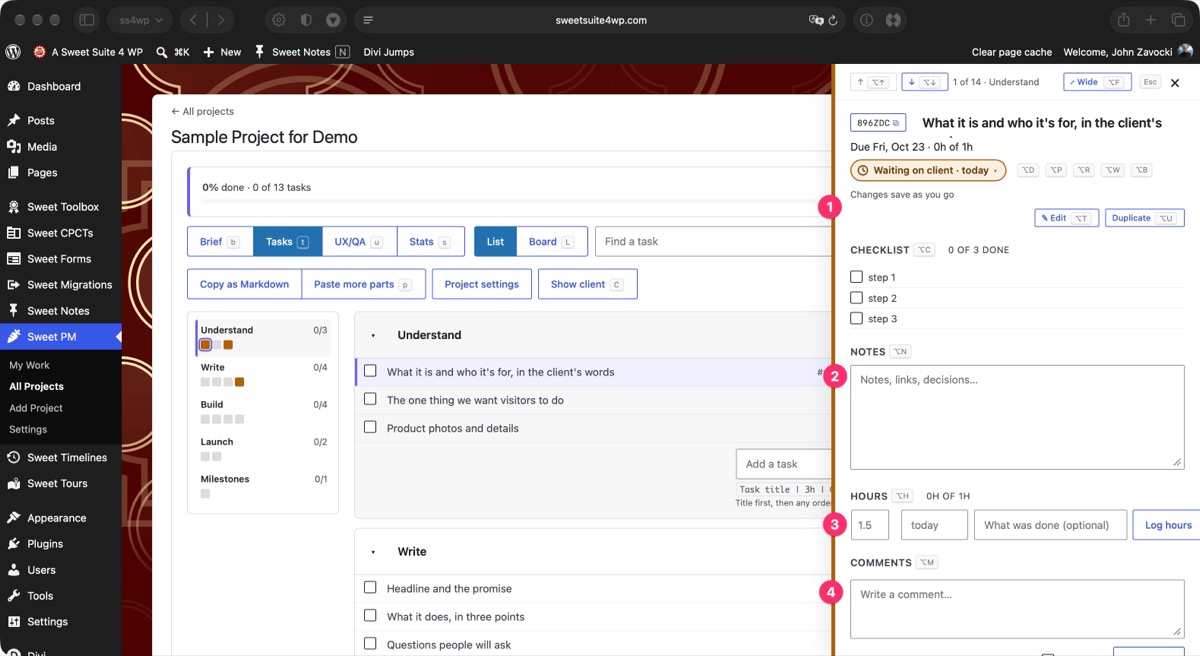
- Note every change to the ask, dated and signed, so the original request and everything since are both on record.
Make it clear: changes anyone can do
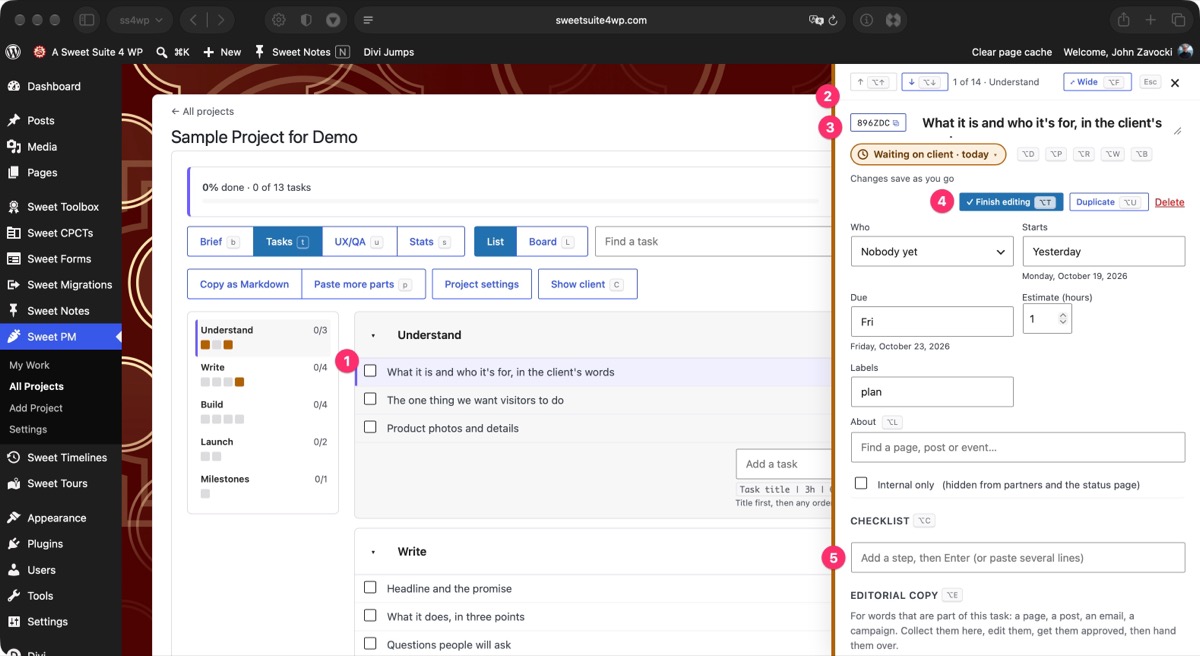
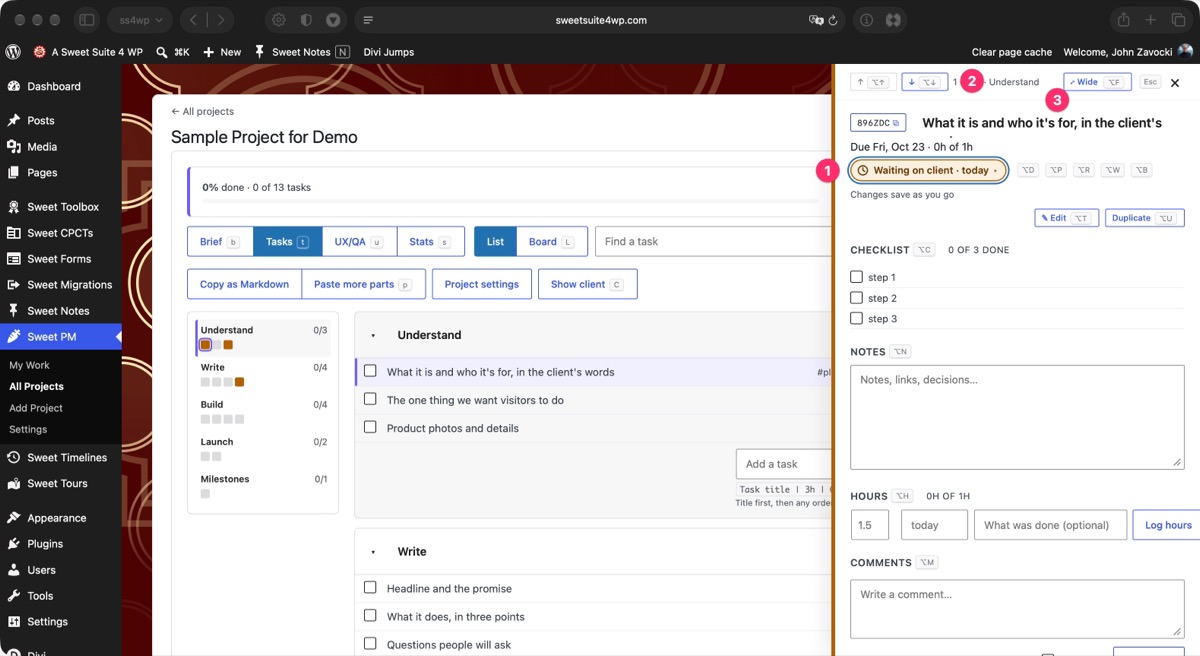
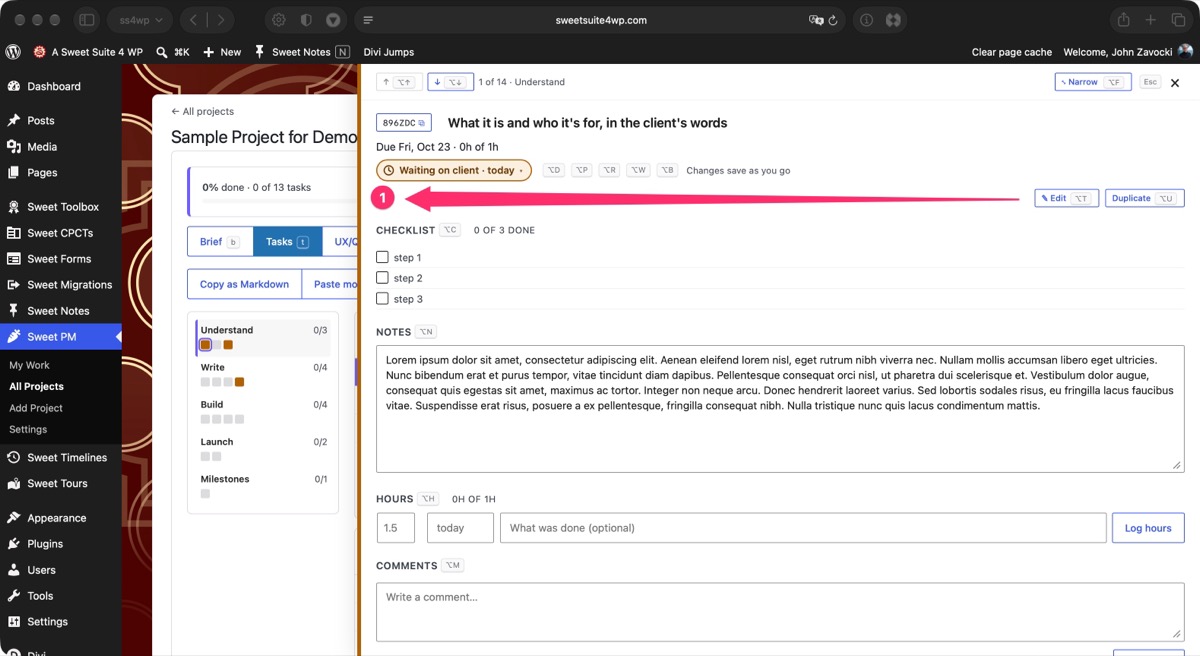
- One change per task, with a checklist of what "done" means.
- Labels for the kind of change: #change, #fix, #question, #copy, #design.
- Waiting on client starts a gentle clock. Blocked turns a task pink and lifts it to the top of everyone's list, with what's in the way.
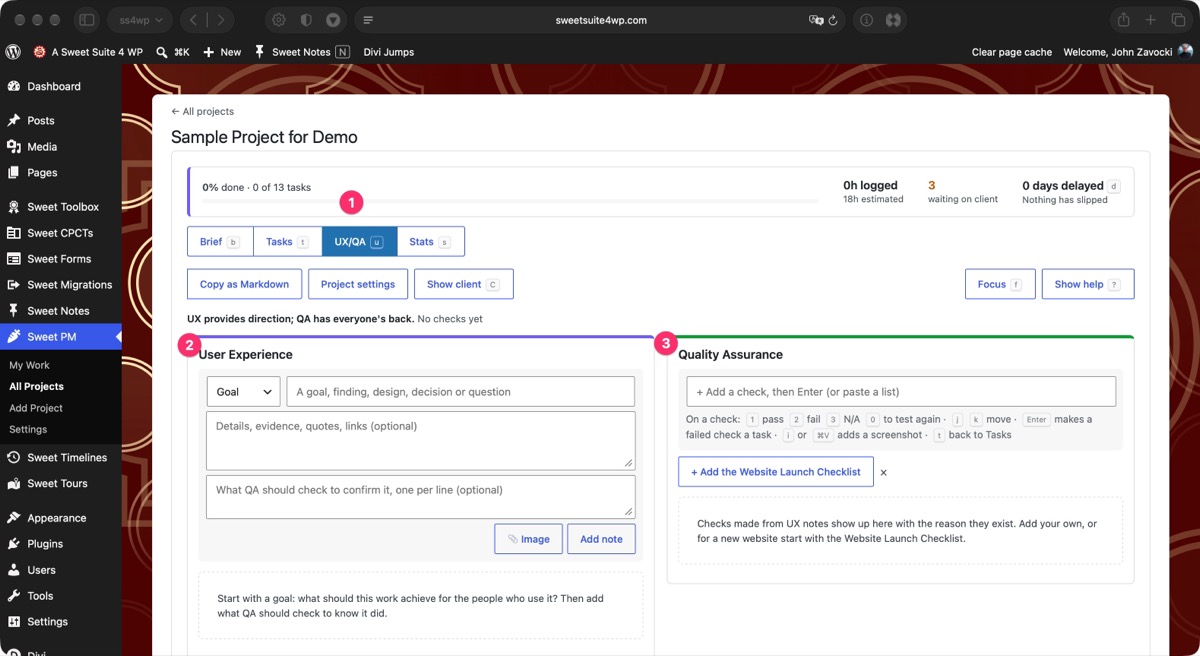
- UX notes say why; QA checks say how we'll know it held. A failed check becomes a task in one keystroke, screenshots and all.
Get it done: the list gets shorter
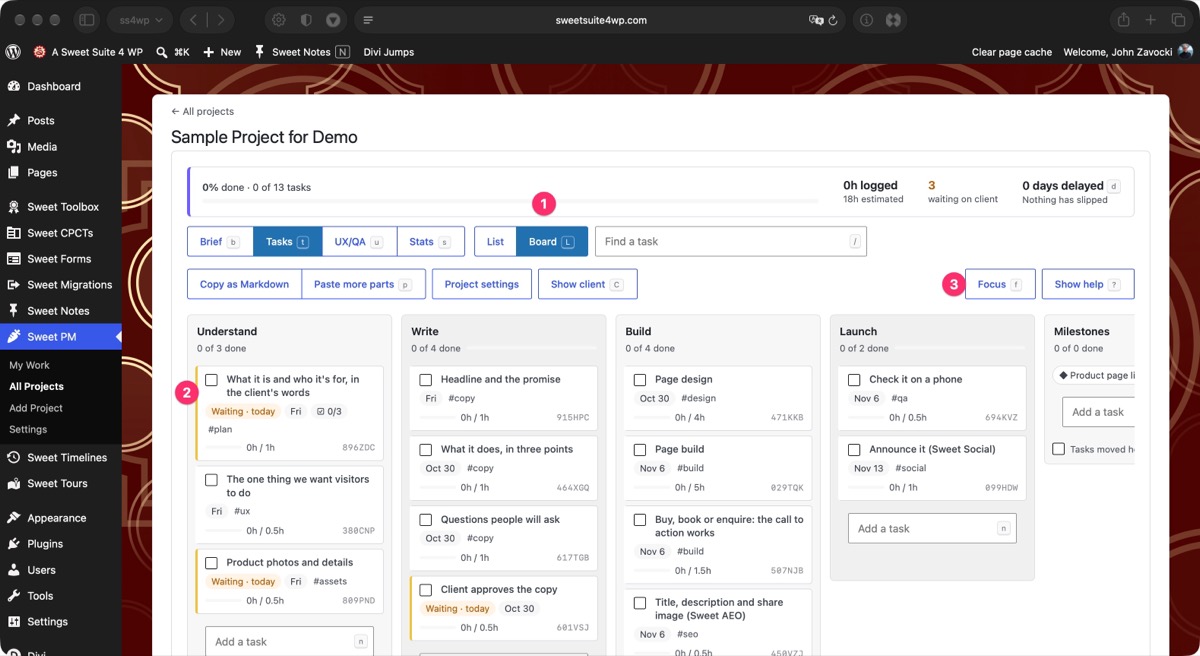
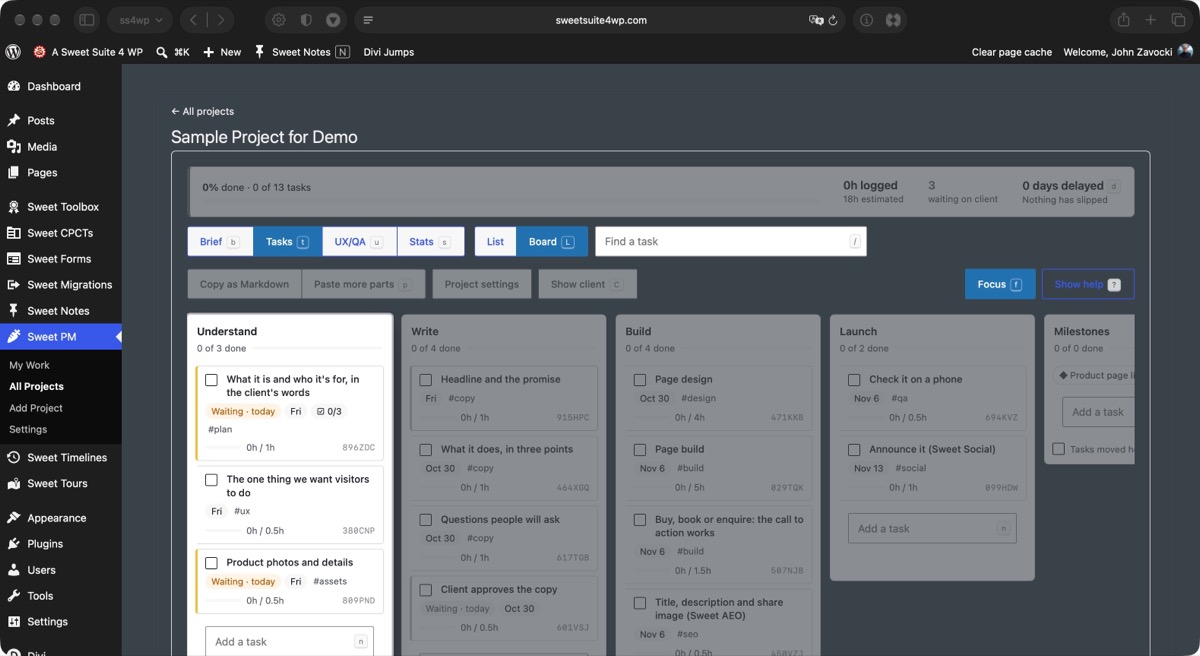
- A list or a board — your call. Drag cards, or move them from the keyboard.
- My Work on the WordPress Dashboard: your open tasks, by project, with due dates. Blocked first.
- Every shortcut sits beside the button it presses. Built for long days, and for hands in gloves.
- Every delete can be undone. No "Are you sure?" pop-ups.
Show it's done: the client sees it without asking
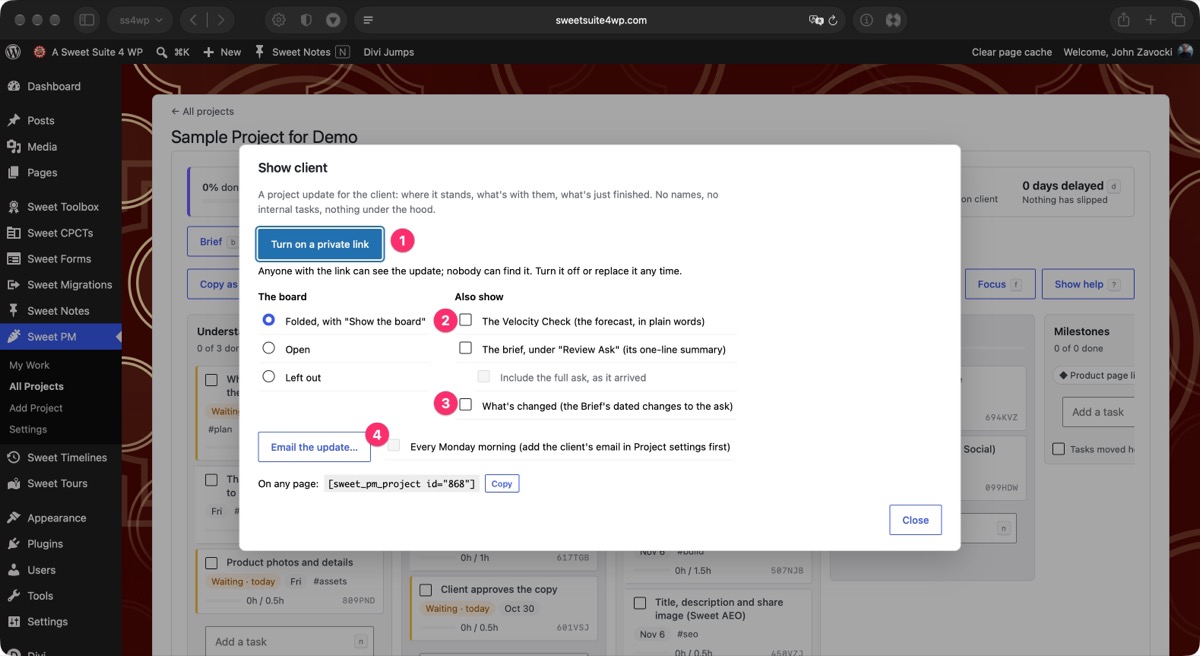
- A private status page on the client's own site, no login: what's done, what's next, what's with you, what's changed since the ask.
- A weekly email of the same, every Monday morning, if you'd like.
- The board, read-only, for walking through in a meeting.
- Copy as Markdown or print it, for the client who likes paper.
- Never shows names, internal tasks or why something's blocked. Never shows money.
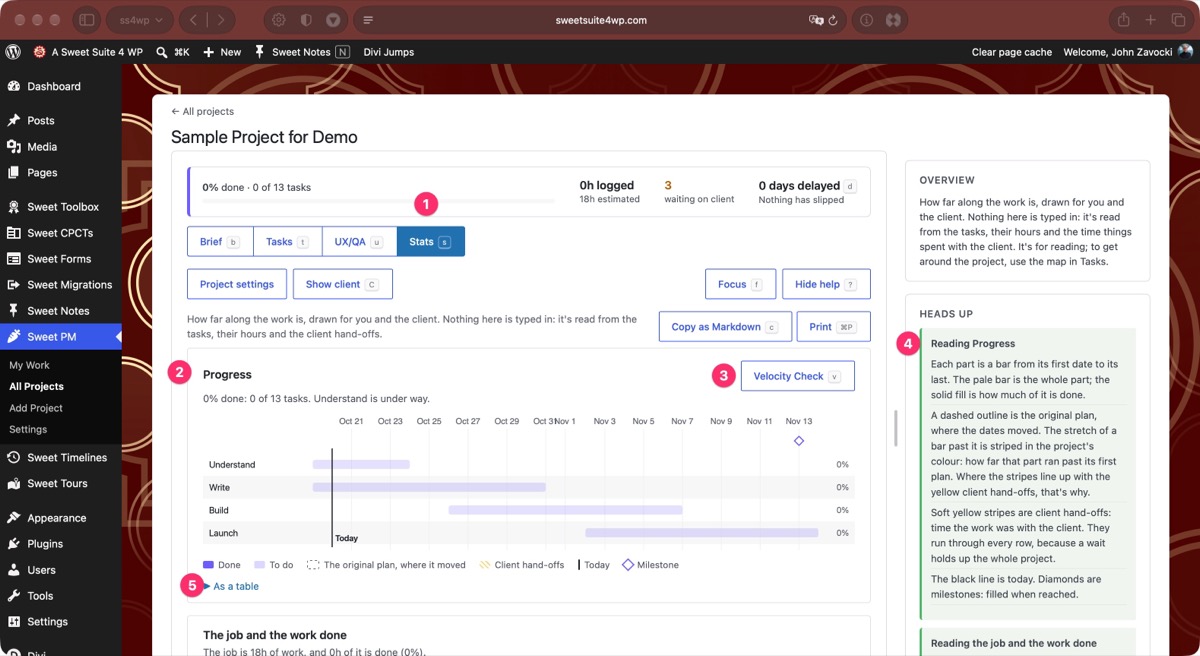
And when the date's at risk: the Velocity Check
The arithmetic a project manager would do, done for you and shown in full. Will you make the date? If not, is the work behind — or is it waiting on the client? It lists what's pushing the date, in days, and what you can do about it: move the target, trim the job, add hours, or ask for a change.
Green, yellow or blue. Never red.
It's a planning tool, not a report card.
Four things done differently
About hours
Sweet PM tracks hours if you want it to — and only hours. Never money.
Log time against a task, count up on an hourly job or down from an agreed budget, and see what's left before it runs out. A budget-minded client sees that too. But you don't have to log a single minute to catch, clear and finish every change. Sweet PM is about the work getting done, not about proving how long it took.
Rates and costs never touch the client's site. That belongs on your own.
Why it lives on the client's site
The record stays with the work. The asks, the changes, the decisions and the history live on the WordPress site you're building — not in someone else's cloud. Hand the site over, and its story goes with it.
Nobody pays per seat. It's a plugin on a site you already have. One person or six, it costs nothing extra.
Clients never need a login. No portal, no password-reset emails, no "how do I get in?". Just a link.
Start with an example
Every new install comes with Hello, World: a small website build three weeks in, with tasks done and to do, hours logged, a client hand-off still open, a brief, UX notes and QA checks. Try things on it — then delete it.
You also have several starter templates to copy and paste:
- Blog post and broadcast
- Event planning timeline
- Landing page funnel
- New product introduction
- Small website build
- Social media campaign
- New team member bio page
What it isn't
- Not a time sheet. Hours are there if you want them. The point of focus are the changes / updates.
- Not a client portal. Clients never log in. They get a private page, an email, or a printout.
- Not an invoicing tool. Hours only. Money belongs on your own studio site, not the client's.
- Not Divi's Projects. Divi's Projects are portfolio pieces, finished work you show off. Sweet PM projects are work in progress.
- Not for big organisations. It's for one to six people and stays small on purpose. If you need a full project suite, there are good ones (like Active Collab, for example) — Sweet PM is the simple one you can remove.
UX and QA: the bookends
Big companies have whole departments for these. A user-experience team works out what the site should do before anyone builds it. A quality-assurance team tries to break it before anyone sees it. Small sites have neither. They have you, the client, and a launch date.
UX provides direction; QA has everyone's back.
That's exactly why small sites need both — just sized to fit.
UX at the start: decide on paper, not in code
Every change you can settle before the build is one you never pay to rebuild. Moving a button in a sketch takes a minute. Moving it once the page is built, the copy is placed and the client has signed off can take an afternoon, and a budget is made of afternoons.
So Sweet PM starts a project with a place to think:
- Goals — what the site has to do for the people who use it.
- Findings — what you learned: from the client, their customers, the old site.
- Designs — the shape you chose.
- Decisions — what was agreed, so nobody has to remember it.
- Questions — what's still open, before it becomes a surprise.
Under each one, write what QA should check to prove it held. Your planning becomes your test plan — the start of the project quietly sets up the end of it.
QA at the end: you are the QA team
Here's the bit nobody says out loud: on a small site, there is no QA team. There's the person who built it, and the client who's paying for it. That's the whole department.
It isn't a weakness. Nobody knows what the site was meant to do better than the two of you. But testing without a list is just clicking around and hoping — and hoping is how a broken contact form reaches launch day.
Sweet PM turns launch week into a short, proper QA sprint:
- Every check knows why it's there. Each one shows the UX note it came from, so "why are we testing this?" always has an answer.
- Pass, Fail or N/A — straight from the keyboard (1, 2, 3), with who checked it and when.
- A failure becomes a fix in one keystroke. Press Enter and the failed check is a task, carrying what failed, why it matters, and the screenshots.
- Screenshots go where the problem is. Paste or drop them on a check or a note, and they're kept with the project.
- A goal is Verified by QA only when every check behind it passes. Not "looked fine to me". Proven.
- The Website Launch Checklist adds thirteen launch checks in one click — and the Sweet Suite answers eight of them itself (mail, captcha, privacy pages, analytics, forms, search engines, site icon and share image, AEO), so you start the sprint with most of the boring half already done.
Bring the client in
The hands-on client is the best tester you'll ever have. They know their customers, they read every word, and they've been waiting weeks to find things. Give them the checklist and a launch-week call. Paste the call into the meeting prompt, and every problem they found comes back as a fix to make.
They're not nit-picking. They're your QA team. Sweet PM makes sure everything they find gets fixed.
FAQ
I'm not a project manager. Will I get this? That's who it's for. If you can write a to-do list, you can use Sweet PM. A help panel beside every view explains it in plain words.
How does the meeting prompt work? Copy it from Paste more parts (⌥M), paste it into Claude or any AI along with your Teams summary, transcript or notes, and paste the answer back. You see every task before it's saved. It's free and needs no keys or connection.
Does the AI see my project? Only what you paste into it. The prompt carries your project's name, its part names and your team's handles, so the changes land in the right places. Sweet PM never connects to an AI on its own.
Does my client need an account? No. Clients never log in. They get a private status page, a weekly email if you like, or a printout.
Can my client add changes themselves? They tell you — on a call, by email, however they like — and you catch it in seconds. The status page shows them it's on the list, and then that it's done. They can also use "Sweet Notes" to identify where and what changes should be made!
Do I have to log my hours? No. Hours are there for budgets and estimates, but every change can be caught, cleared and finished without logging a minute.
Where is my data stored? In the WordPress site it runs on, in its own database tables and the Media Library. Nothing is sent anywhere else.
What happens when I hand the site over? The project stays with the site. Remove Sweet PM and keep the record, or delete everything — you choose.
Does it work without Divi? Yes. It runs on any WordPress site with Sweet Toolbox. Divi makes editorial copy hand-offs smoother.
Will it email the team constantly? No. Only for a task given to you, a mention, or a comment on your task. Each person can turn email off.
Realization of a Dream — Bug Tours: the notes I always wanted
As a builder and developer, I've wanted this feature for as long as I can remember.
In the late Aughts I worked at a publishing house, Channing Bete. When the editors wanted changes to a site, they printed the pages and wrote their notes on the paper. A website, printed out, marked up in pen, then handed back to someone to find again on a screen. I thought it was the most backward way of working I'd ever seen.
I always wanted to build a persistent note system: notes that live on the site itself, stuck to the thing that needs to change. It was always too much work for one person to take on, until now.
Point at the thing
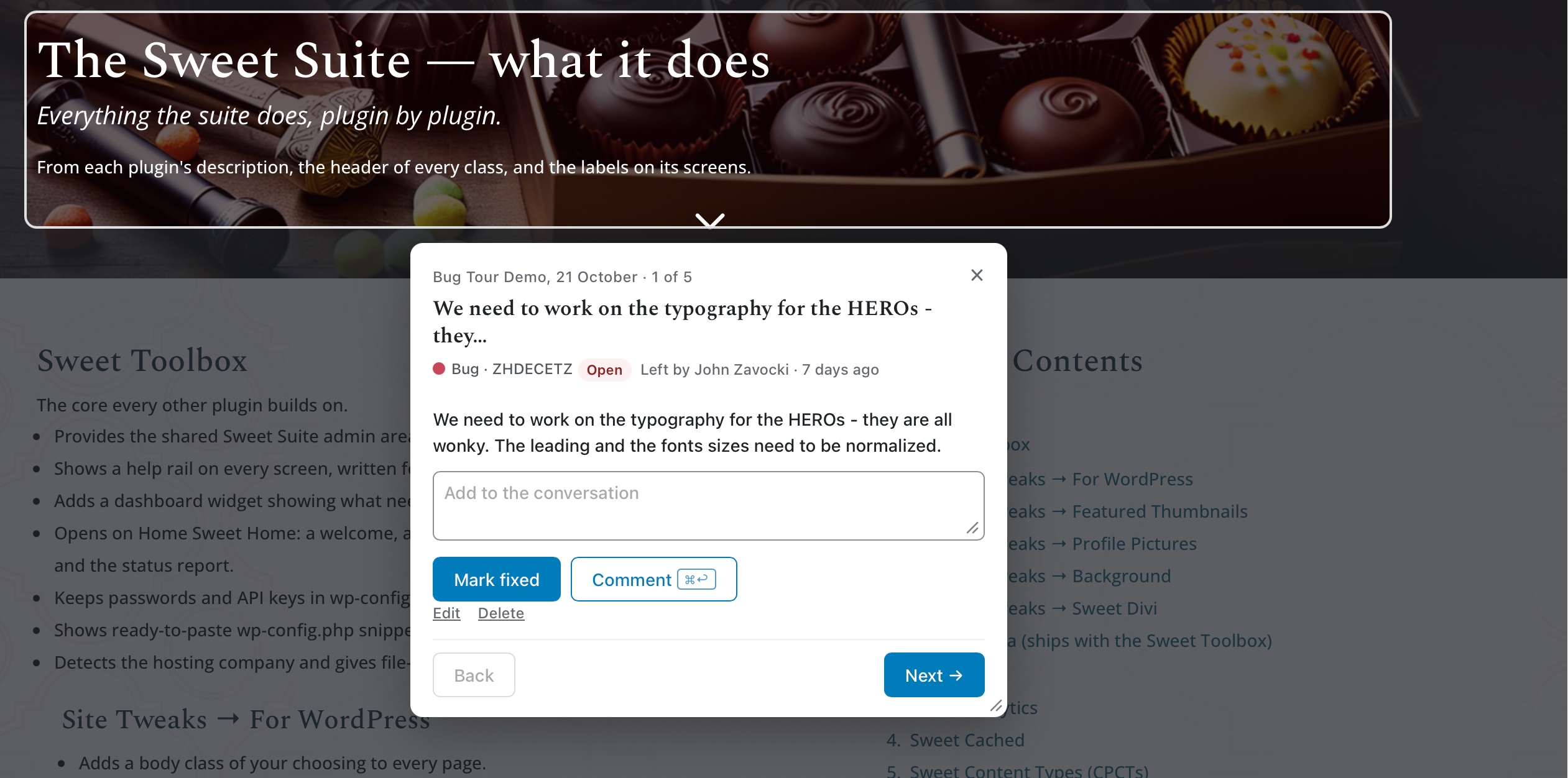
Sweet Notes uses the site to take notes about the site. Open the page, press A, click the element you mean (the button, the heading, the photo that's the wrong photo) and write what it should be. The note stays pinned to that spot. Nobody has to describe where it is, and nobody has to go looking for it.
Each note is a Bug, a Feature or a Copy change, and each one reads from across the room: a red circle, a blue diamond or an amber square.
The meetings I'd like back
I can't begin to count the hours I've spent in meetings watching someone fumble through a site trying to find the thing they meant. First the page won't load. Then it does, but the problem isn't there, because it only happens when you're logged in, or the menu is open, or it's Tuesday. More often than not, we never find the element at all.
Then someone writes a ticket. Then someone assigns it. Then someone assigns QA. Then someone writes back to ask which button they meant.
Shoot me now.
A Bug Tour walks you there
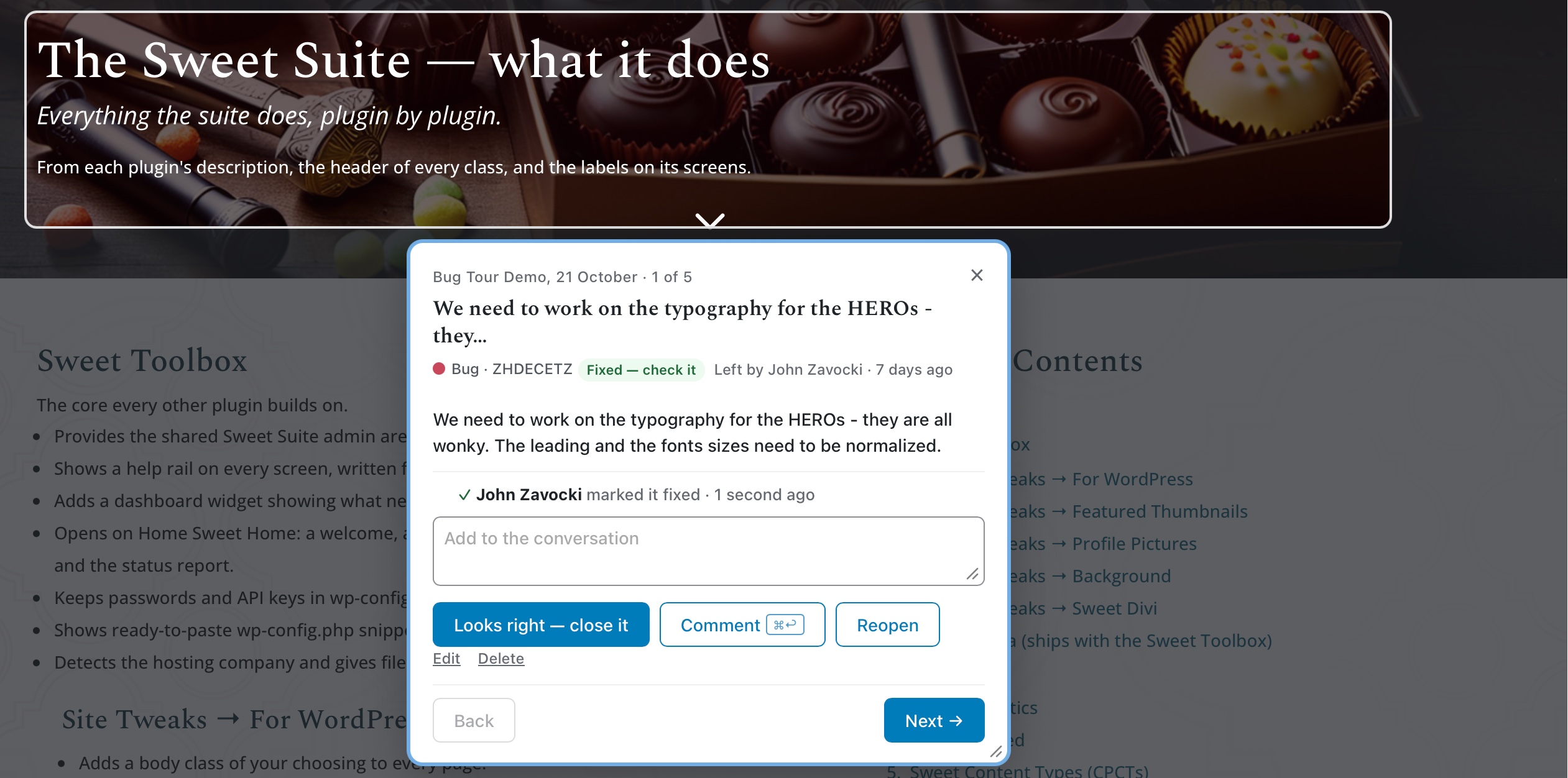
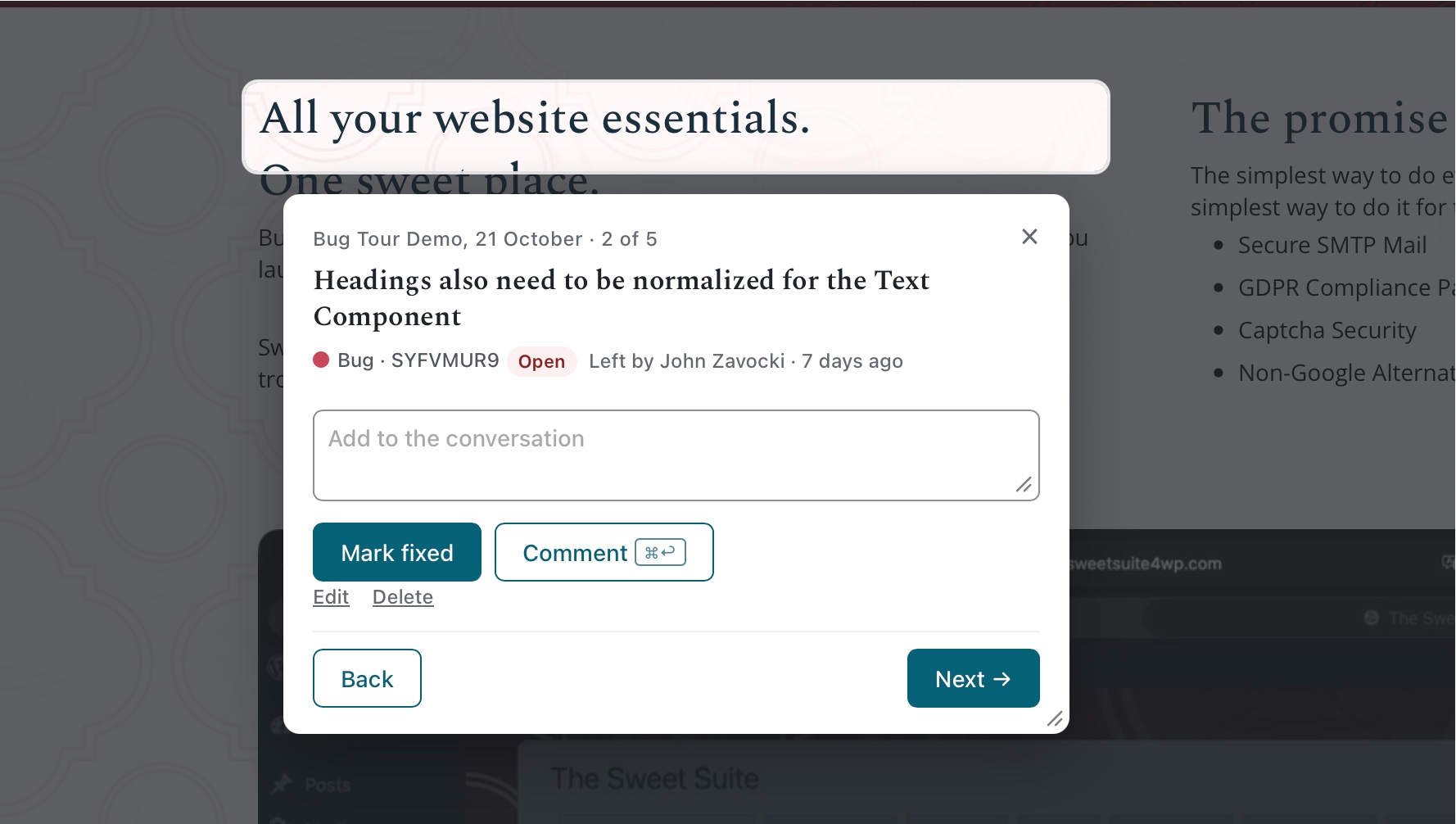
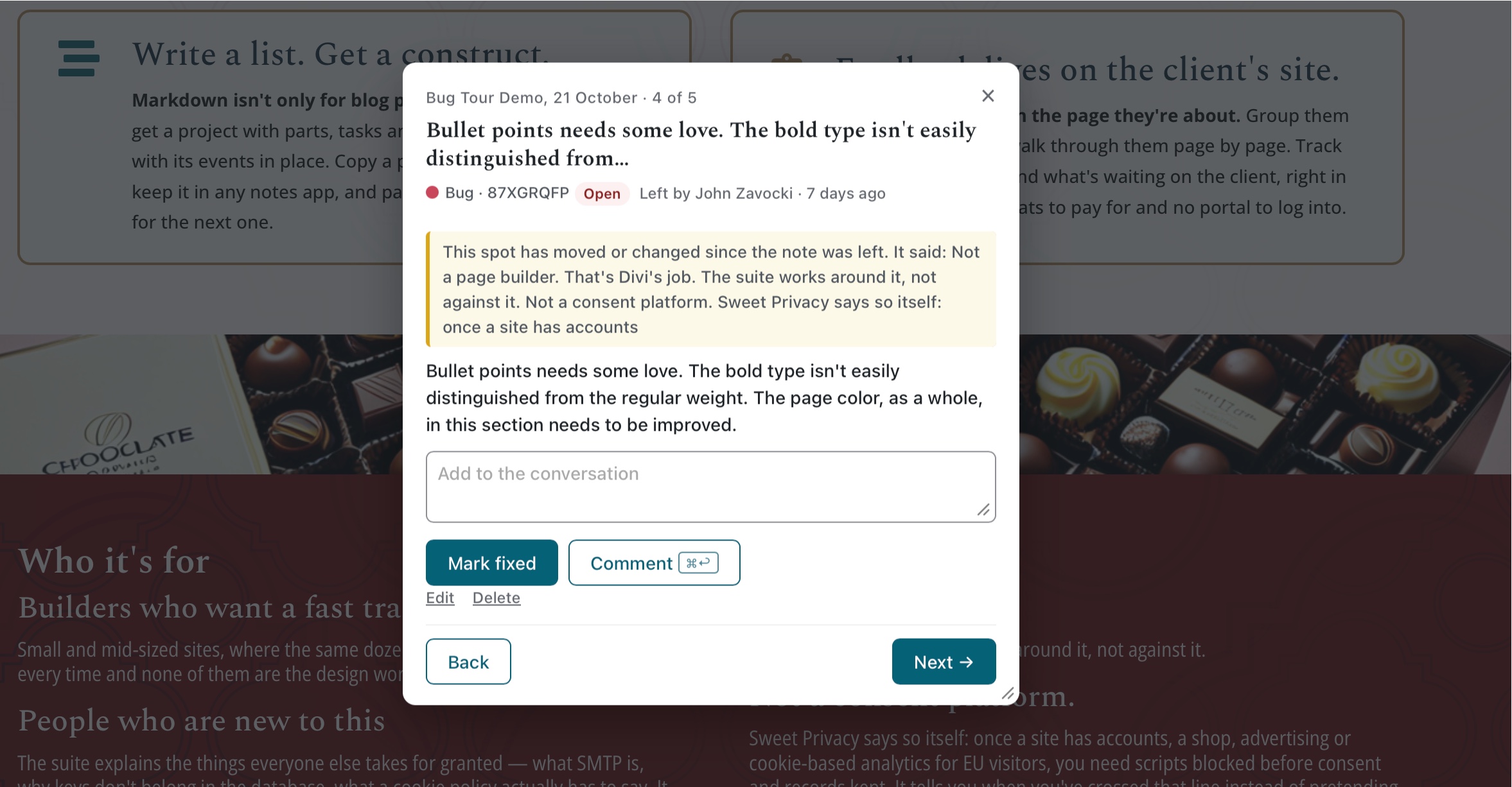
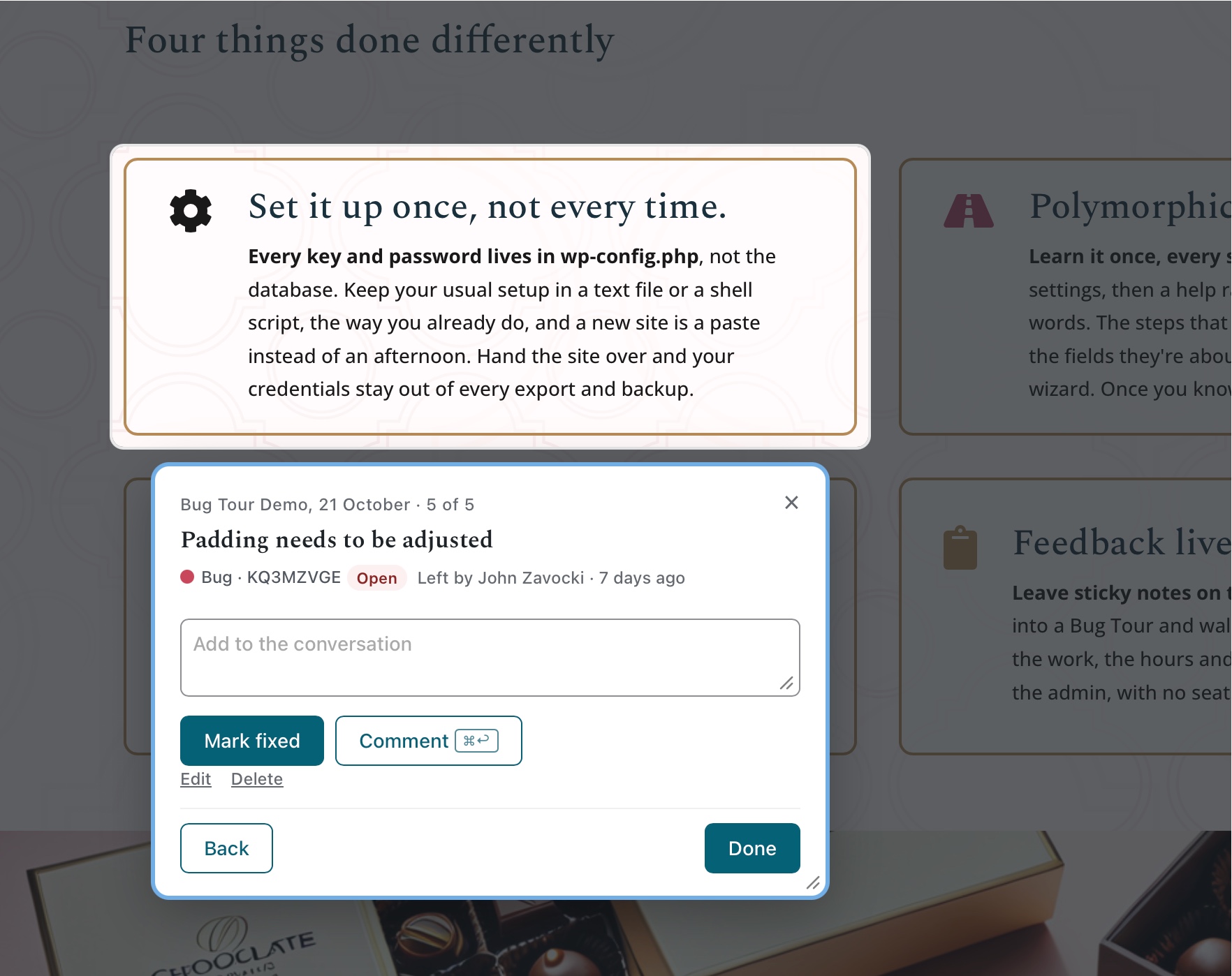
Press T to start a Bug Tour, and every note you leave joins it, page after page, until you press T again. Walk it plays the notes back in order, opening each page with the spot lit up. Closed notes are skipped, so the walk gets shorter as the work gets done. Oh, you ccan bounce for the front of the site to the admin, too. Or, mock up a journey (great for building out analytic funnels!)
A Bug Tour is private: only the team sees it. Clients' feedback comes in through someone on the team.
Here - see what I mean:
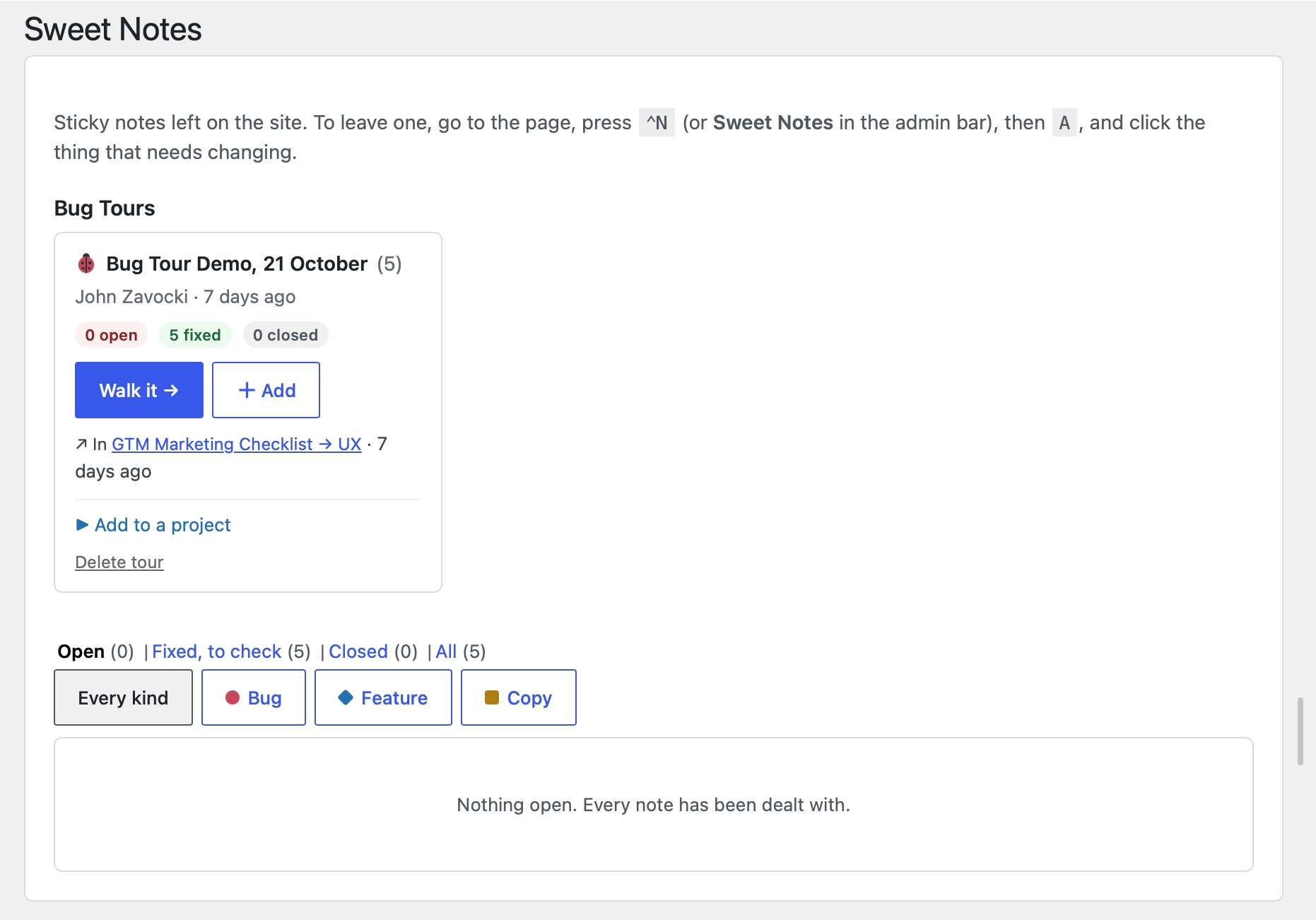
From notes to the work, in one step
With Sweet PM, a Bug Tour goes straight into a project with Add to a project:
- A part: one task, with every stop as a checklist item.
- UX: one finding.
- QA: one check per stop.
You can add the same tour twice, first to a part to fix it, then to QA to check it. There's no copying out, no ticket written from memory, no "which page was that on?". Each note goes Open → Fixed → Closed: whoever fixes it marks it fixed, and whoever left it checks it, then closes it or reopens it with a reason. Email goes only to the person with something to do.
Why it's here
Pointing at the thing is how people naturally give feedback. The tools should work that way too, instead of making us describe a website in words, on paper, in a meeting, from memory. Bug Tours keep the note, the place and the work together, so the next person can see exactly what you saw.
The End is Just the Beginning!
Thanks for scrolling down to the bottom of a web page —
if you found something that you liked, please ...