
The bit nobody explains
You've probably paid for it, or been quoted for it. "SEO." "Content strategy." "Digital marketing." A monthly retainer, a report full of graphs, and a vague sense that something important was happening somewhere you weren't allowed to look.
Here's what it mostly is: four things that need to know about each other.
- What your content is — an event, a service, a product, an article — said in a way machines can read.
- How it's described to search engines and AI assistants, so they can find it and quote it correctly.
- How it travels — out to the social networks where people are, with a way back.
- Whether it worked — who came, from where, what they read, and where they gave up.
None of that is magic. It's plumbing.
The trouble is that it's usually four different tools from four different companies with four different logins, and nobody joins the pipes where you can see them.
So it feels like a mystery — and mysteries are easy to charge for.
The Sweet Suite joins the pipes on the site itself, and labels every one.
Four things SEO "experts" will never tell you.
1. Content Types are the Secret Sauce
A web page, to a search engine, is mostly a wall of words. It can guess that "Saturday 14 June, 7 pm, The Corn Exchange, £12" is an event. Guessing is where things go wrong. You need to shape the content?
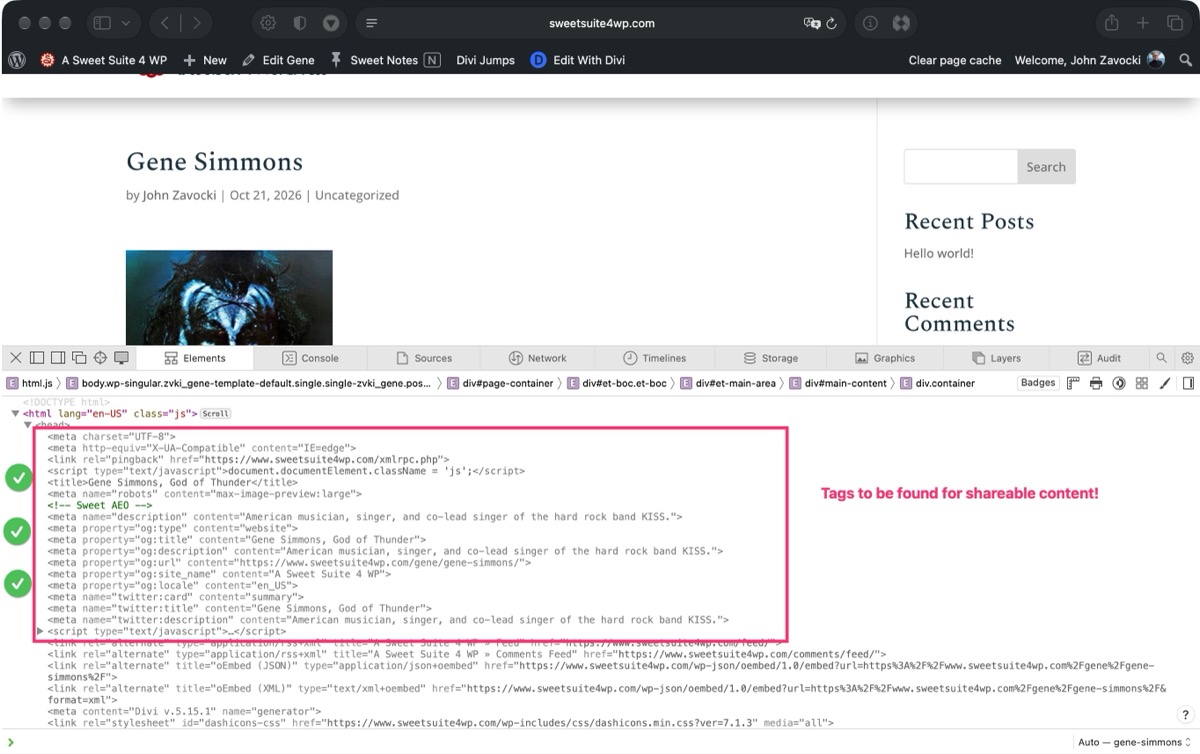
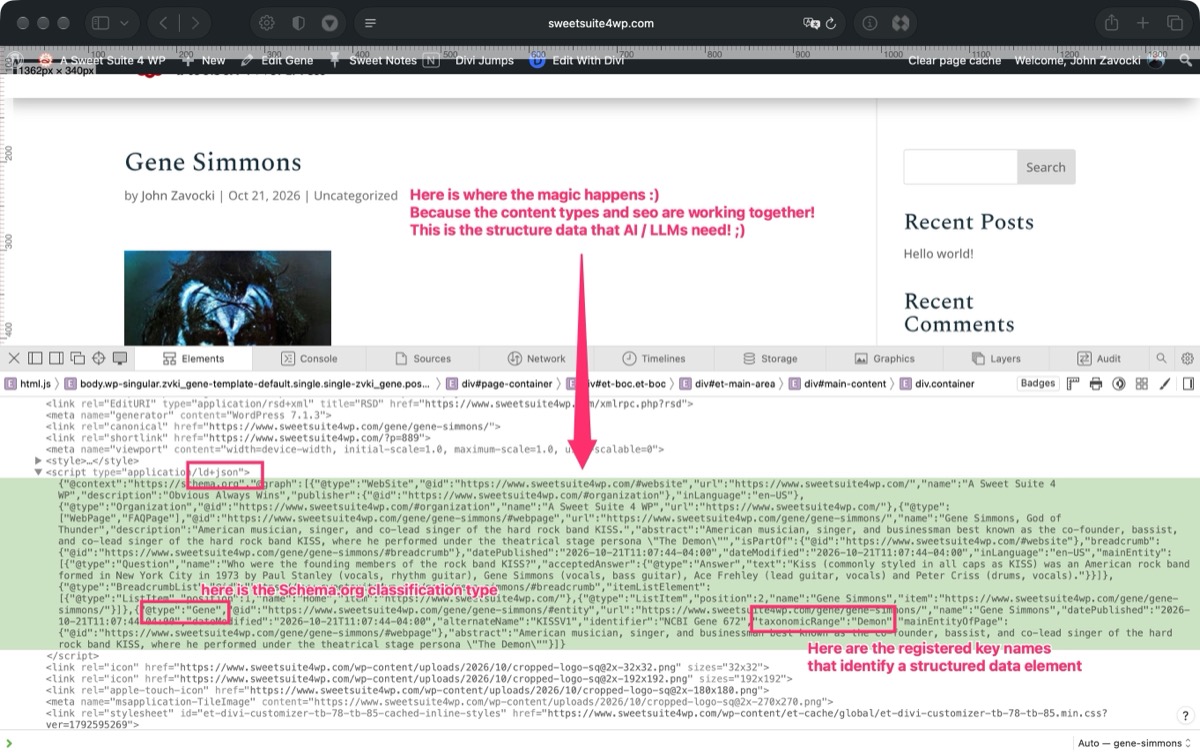
schema.org is THE HOW. It is the shared vocabulary search engines and AI systems agreed on so they don't have to guess. It says: this is an Event, this is its start date, this is the venue, this is the price. When your content is labelled with it, indexers don't just read your page — they understand it, and they understand how it relates to everything else on your site.
Sweet Content Types builds that in from the moment you make a content type:
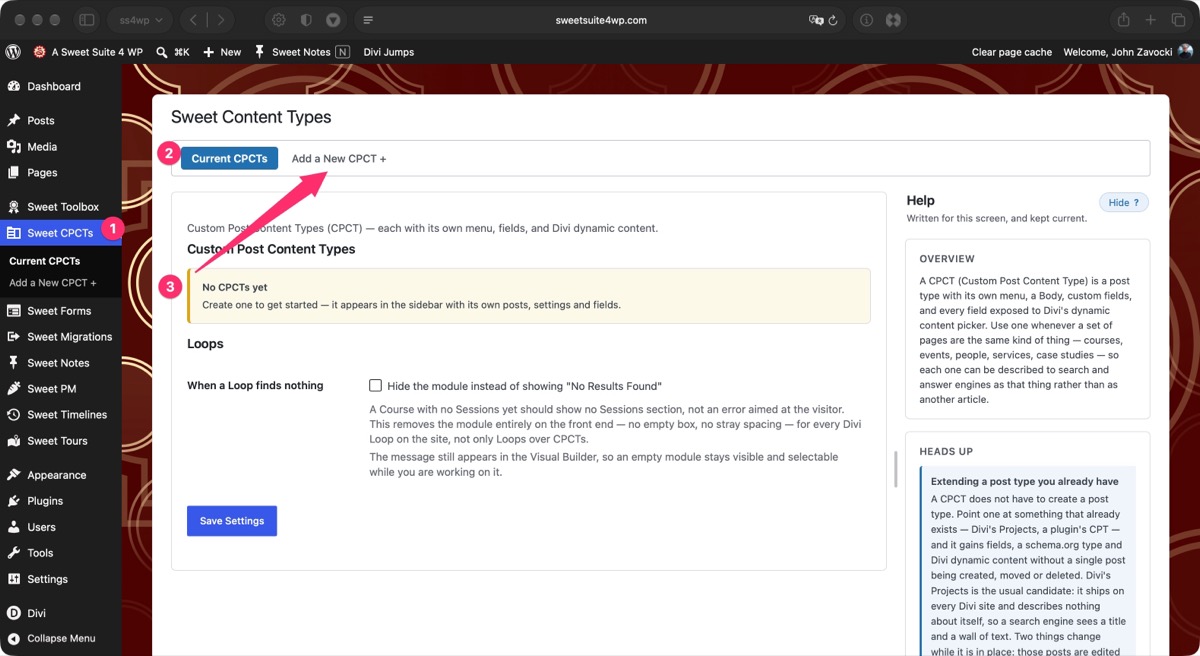
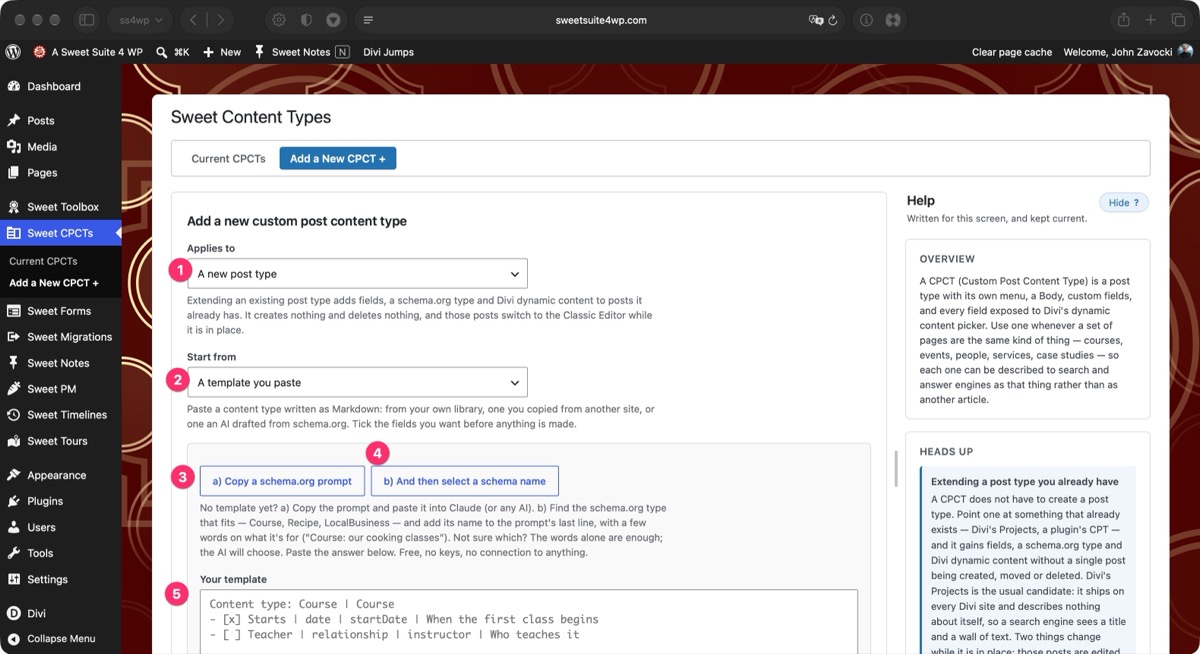
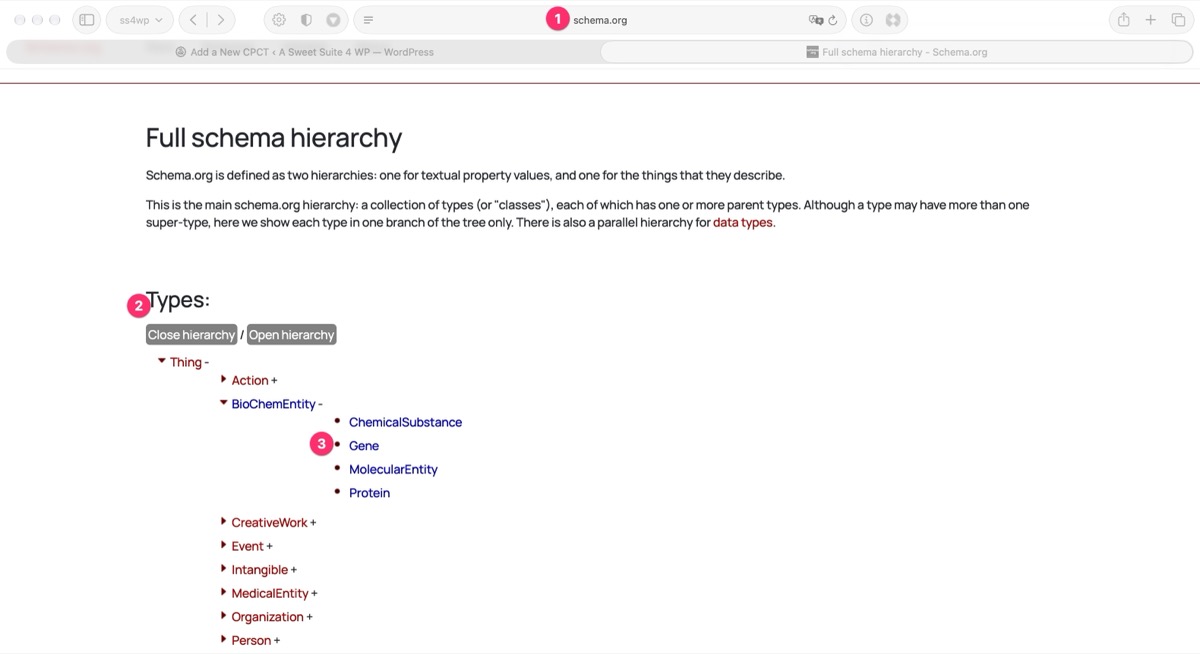
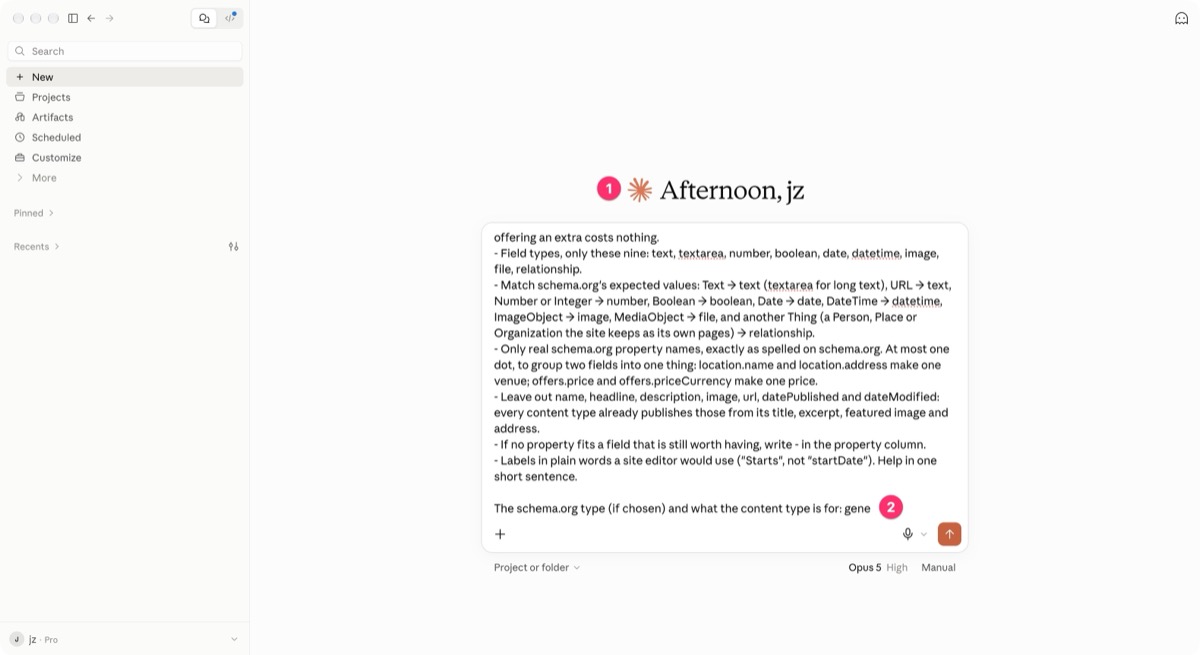
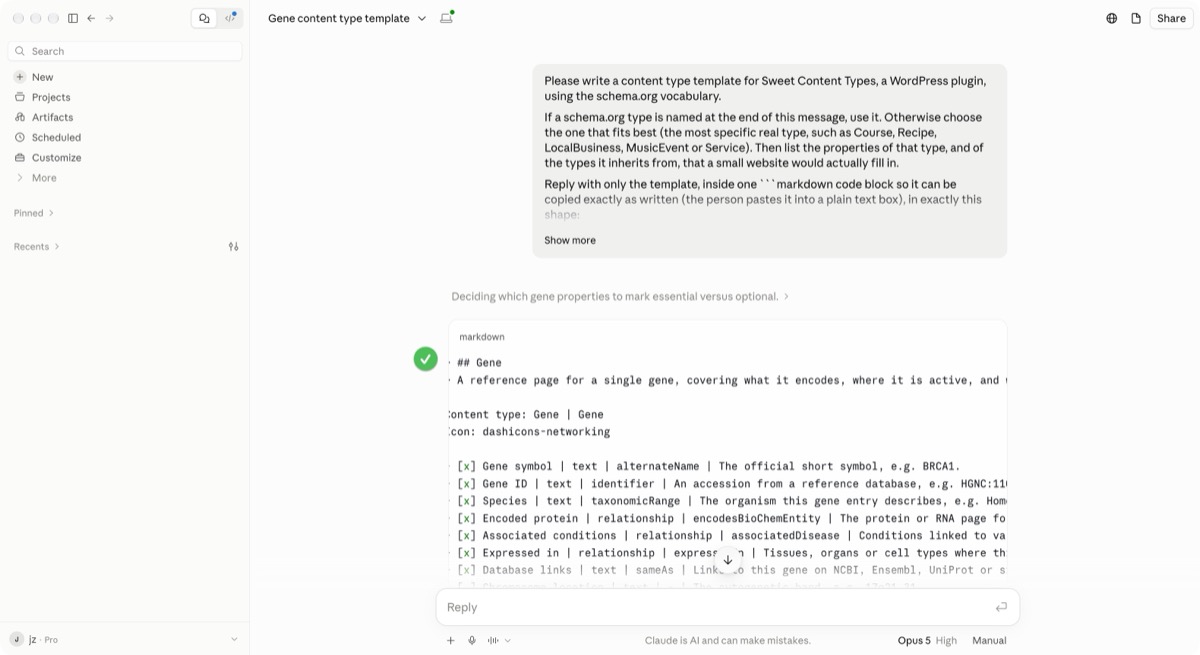
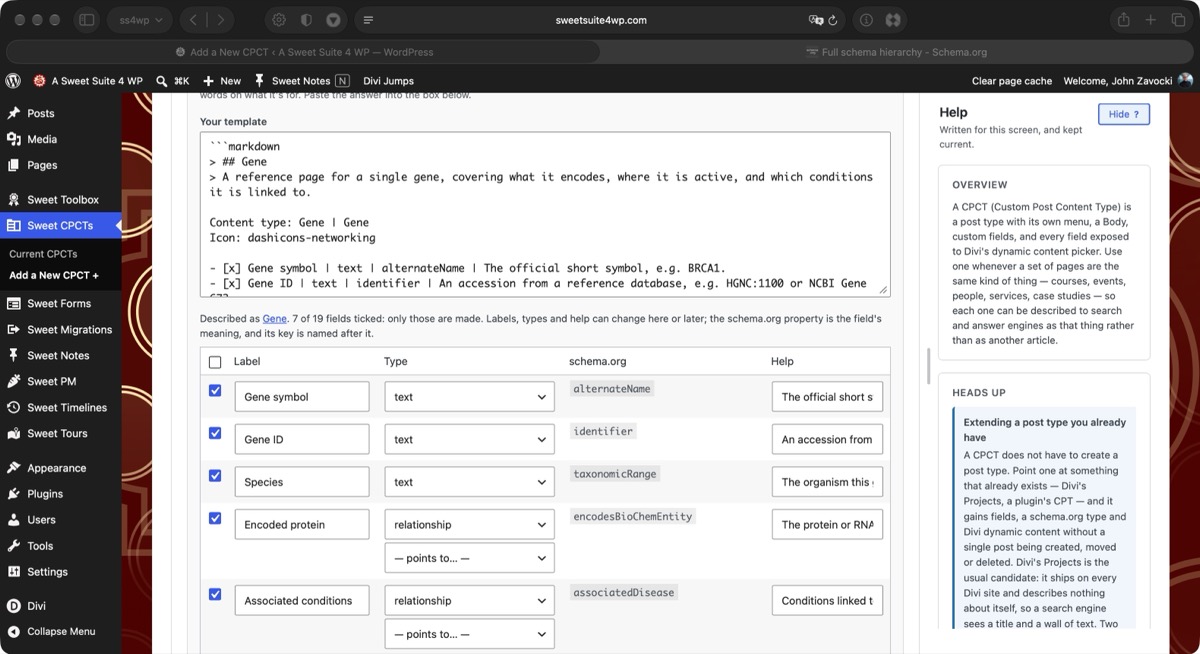
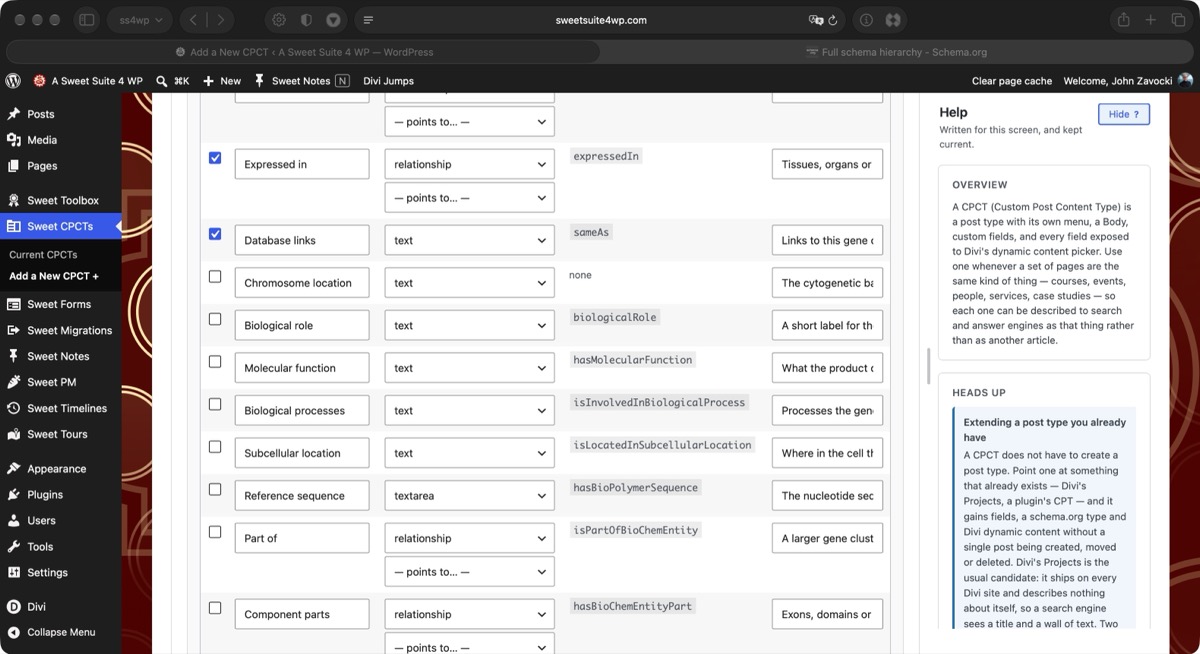
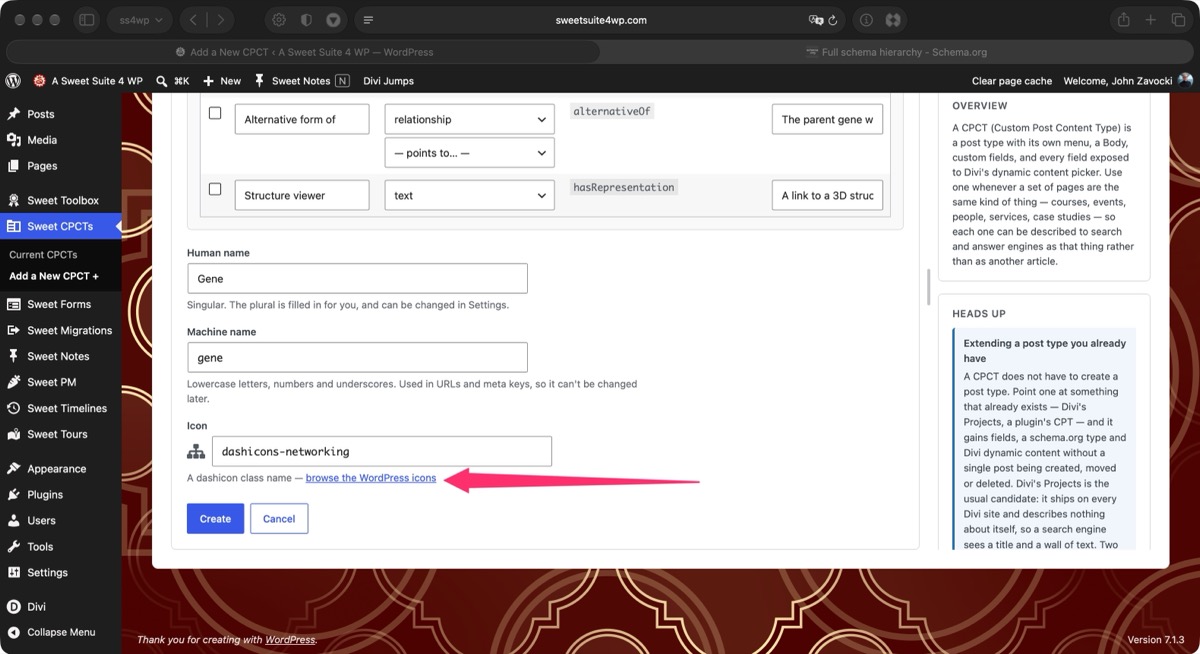
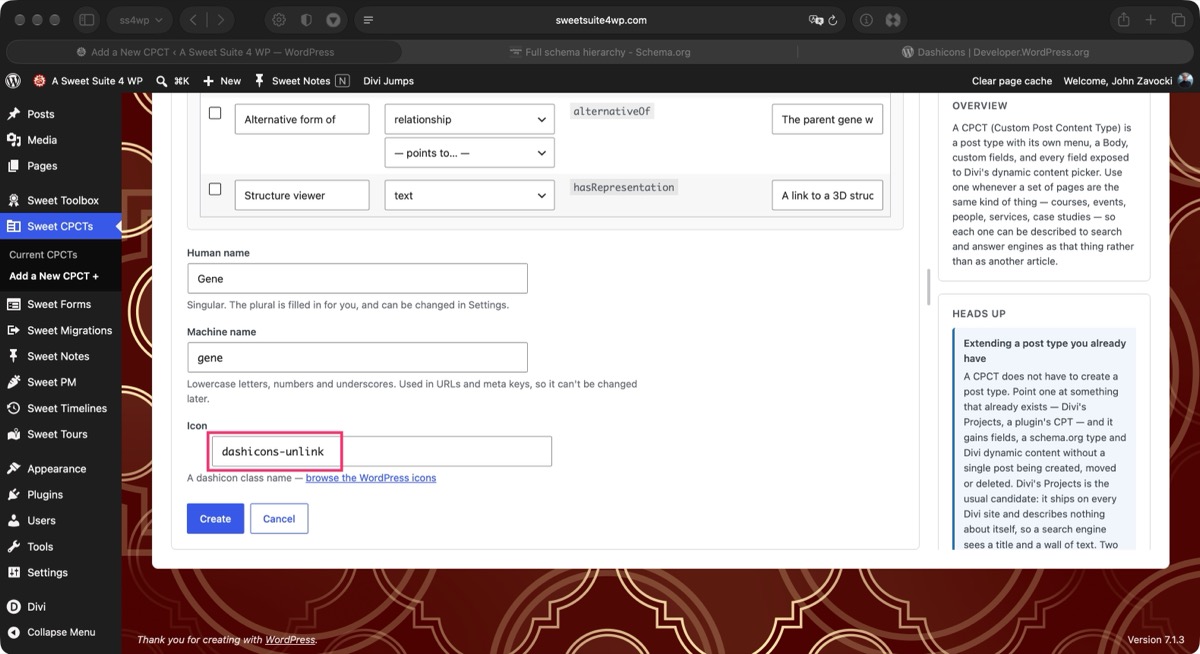
Any schema.org type, in a couple of minutes. Press Copy a schema.org prompt, paste it into Claude (or any AI) with a few words — "Course: our cooking classes" — and paste the answer back. You get the type and its fields, the essentials ticked and the extras offered. Tick what fits your site, rename anything, press Create. It's free, there are no keys, and nothing connects to anything.
You choose; the meaning stays put. Labels, field types and help are yours to change. The schema.org property each field fills is locked, and the field is named after it, so startDate means the same thing in your database, your structured data and anything you move to later.
Choose what it is. Each content type picks its schema.org type — Event, Service, Product, Course, Person, Place, Article, HowTo and more — with the whole schema.org tree a click away, and a nudge to look before starting from Blank: a type that already exists brings a vocabulary search engines understand, and one you invent brings none.
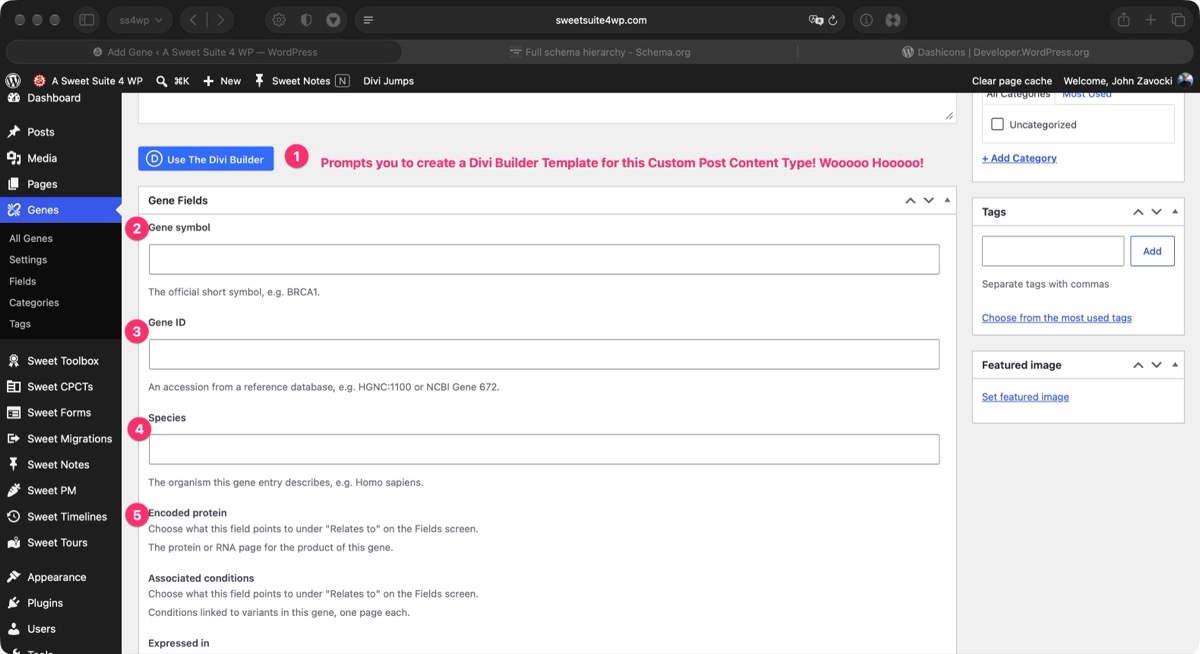
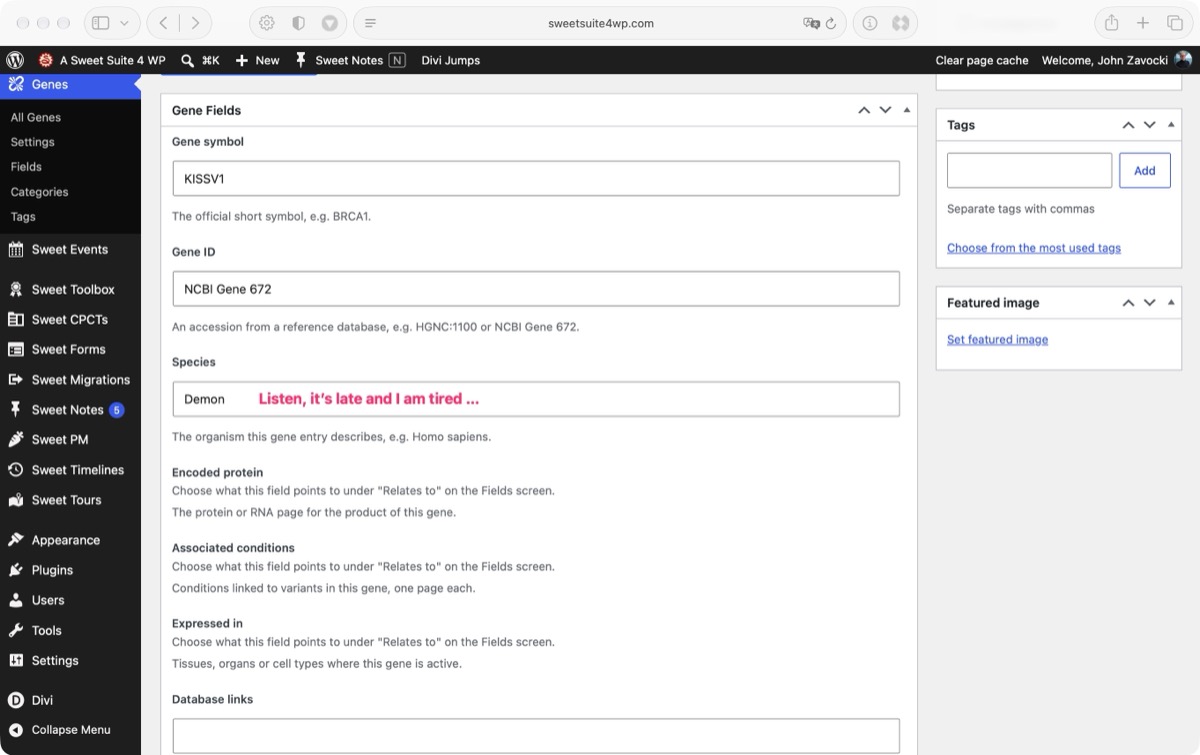
Say what each field means. Any field can be mapped to a schema.org property. Start from the Event blueprint and the dates, venue and ticket details arrive already mapped.
It's written out for you. Every page of that type prints its structured data automatically — no code, no plugin settings to keep in sync.
Related content stays related. Relationship fields and Divi's Loop Builder link a page to the ones around it, for people and machines alike.
Keep the ones that work. Copy as Markdown turns any content type into a template for your own library, ready to paste into the next site.
You don't need to learn the vocabulary. The AI reads schema.org; you tick what fits; the suite says it on every page from then on.
This is the bit agencies charge for. Working out which schema.org type a client's content is, which of its dozens of properties matter, and wiring each field to its meaning is days of specialist work, usually billed and rarely explained. Here it's a prompt, a list of tick boxes and a Create button — with every choice on the screen where you can see it.
2. AEO wants Answers to Questions
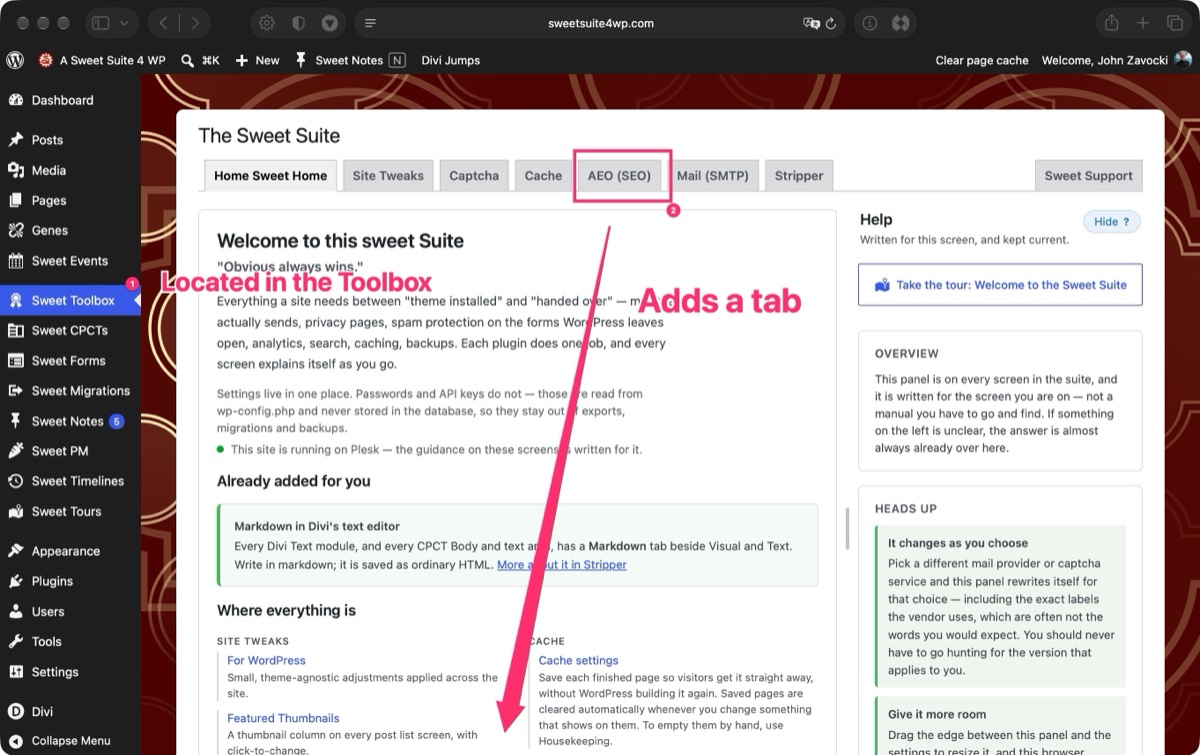
Search used to mean ten blue links. Now it's also an AI assistant answering a question with a sentence lifted from someone's site — ideally yours, ideally with your name on it. That's AEO: answer engine optimisation. It's SEO's younger sibling, and it cares even more about clear structure.
Sweet AEO gives every page the words machines look for:
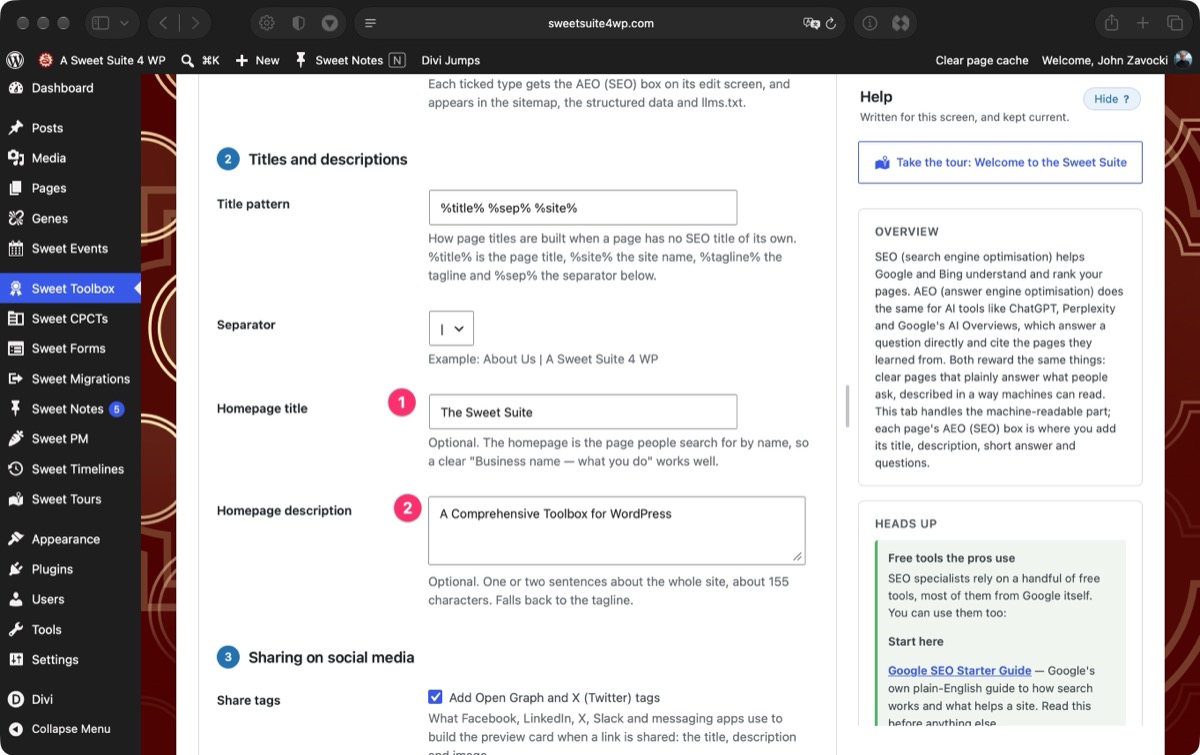
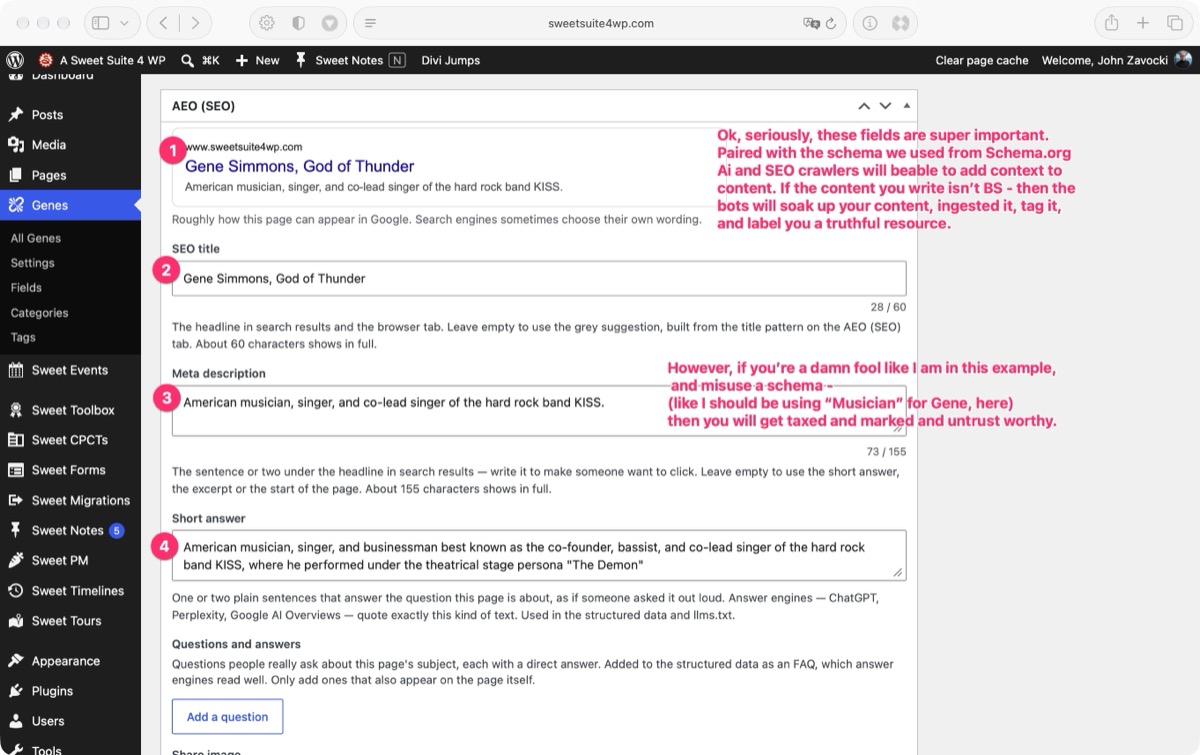
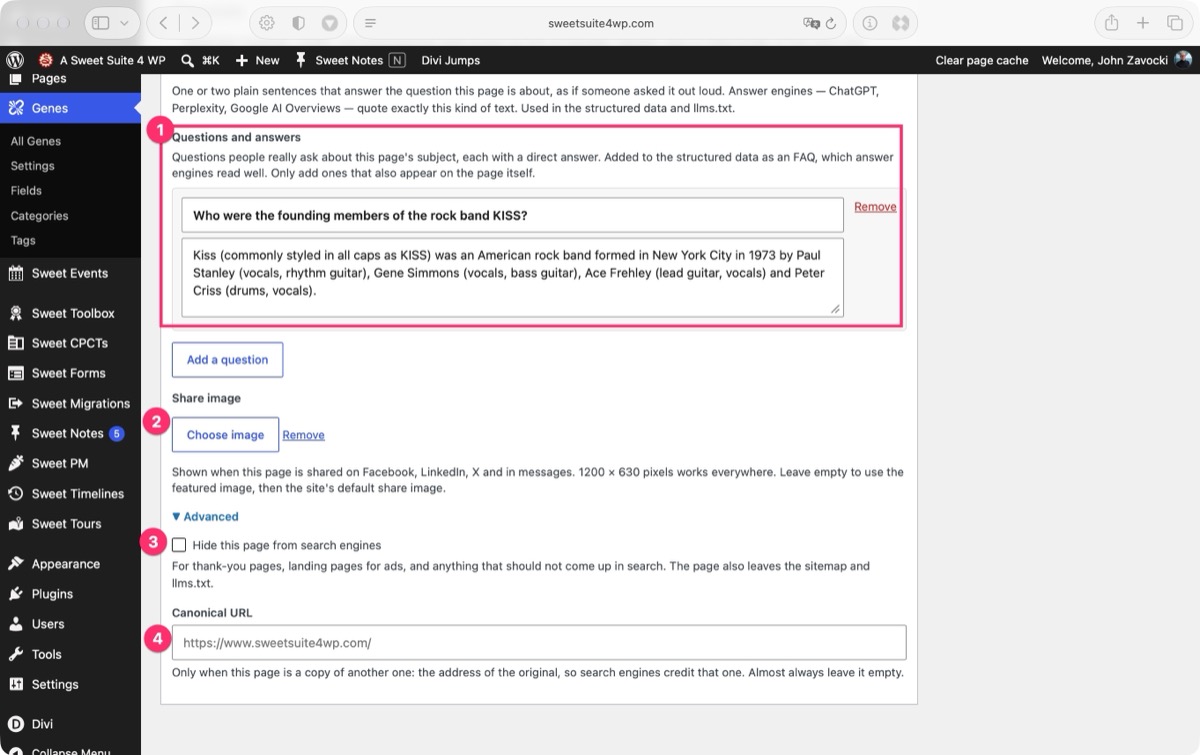
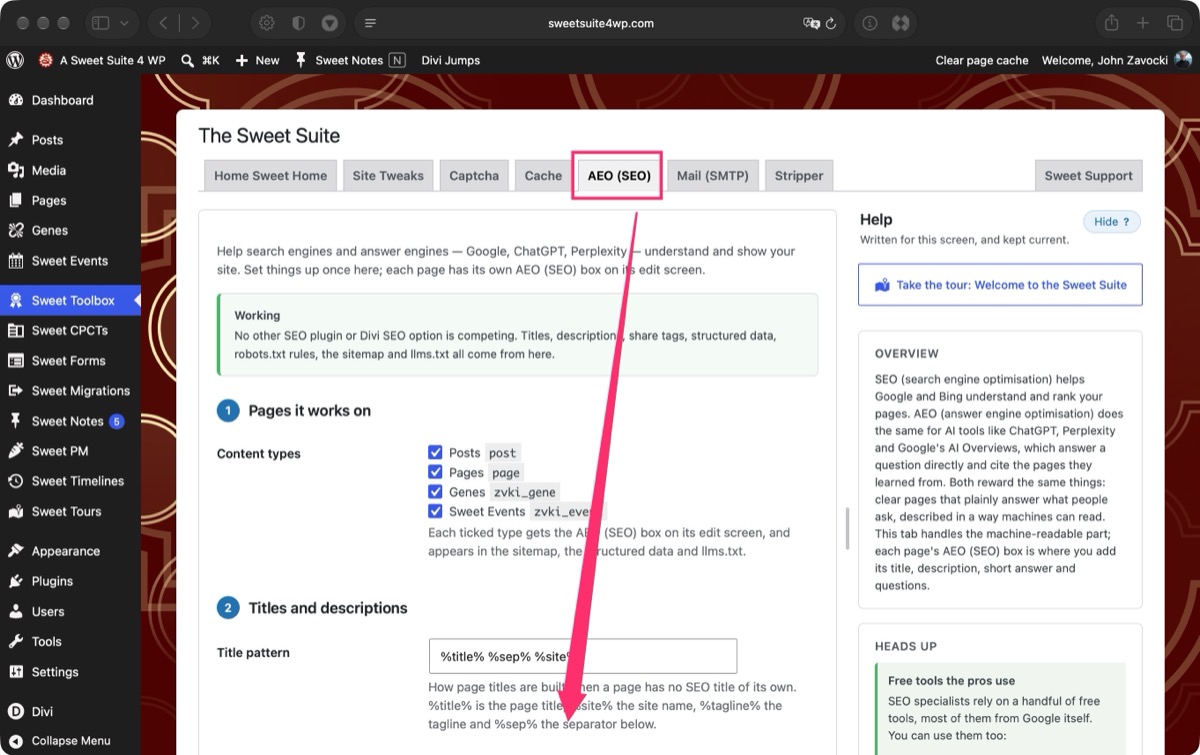
An SEO title, a meta description, a short answer and questions and answers — the bits AI assistants are most likely to quote — with a Google preview as you type.
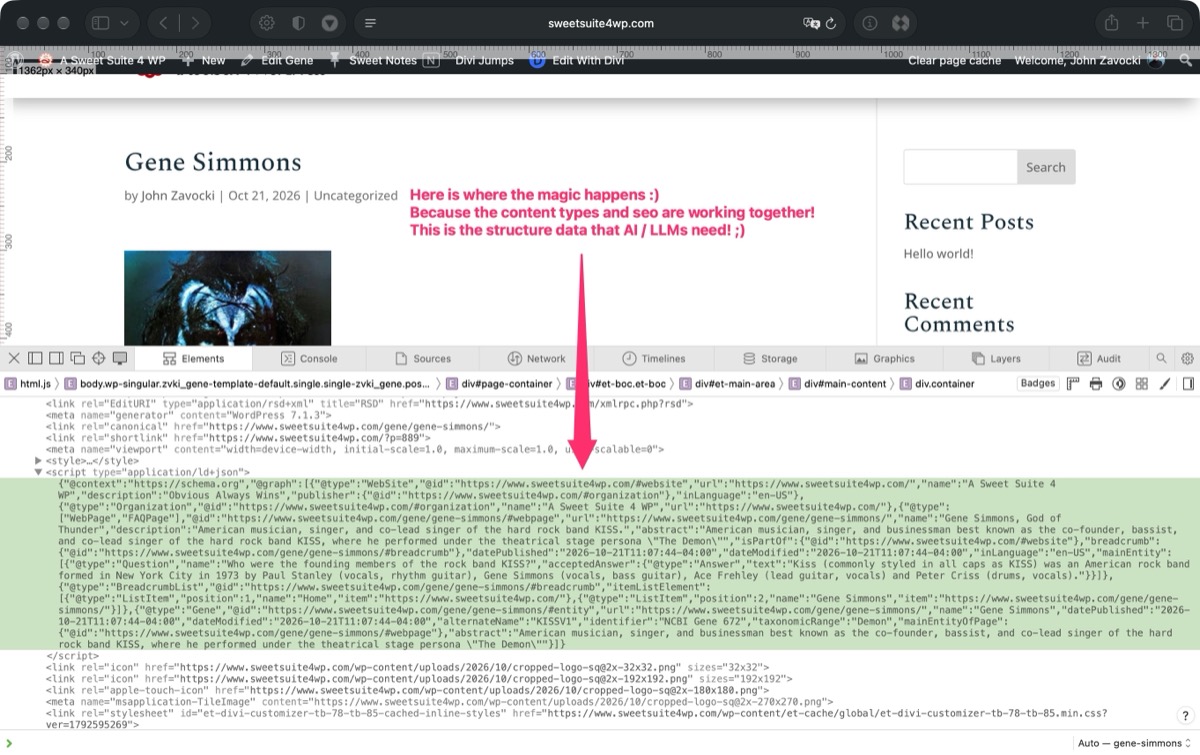
One clean block of structured data per page, joining your content type's schema.org with the site, the page and its breadcrumbs.
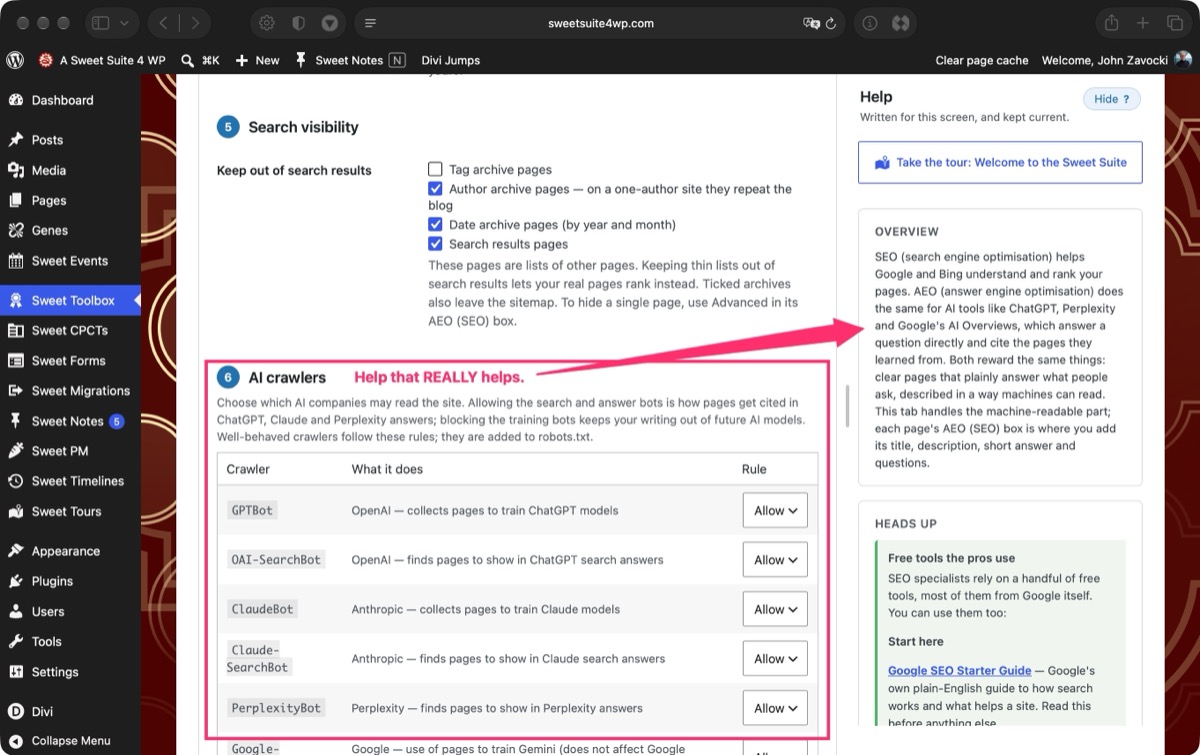
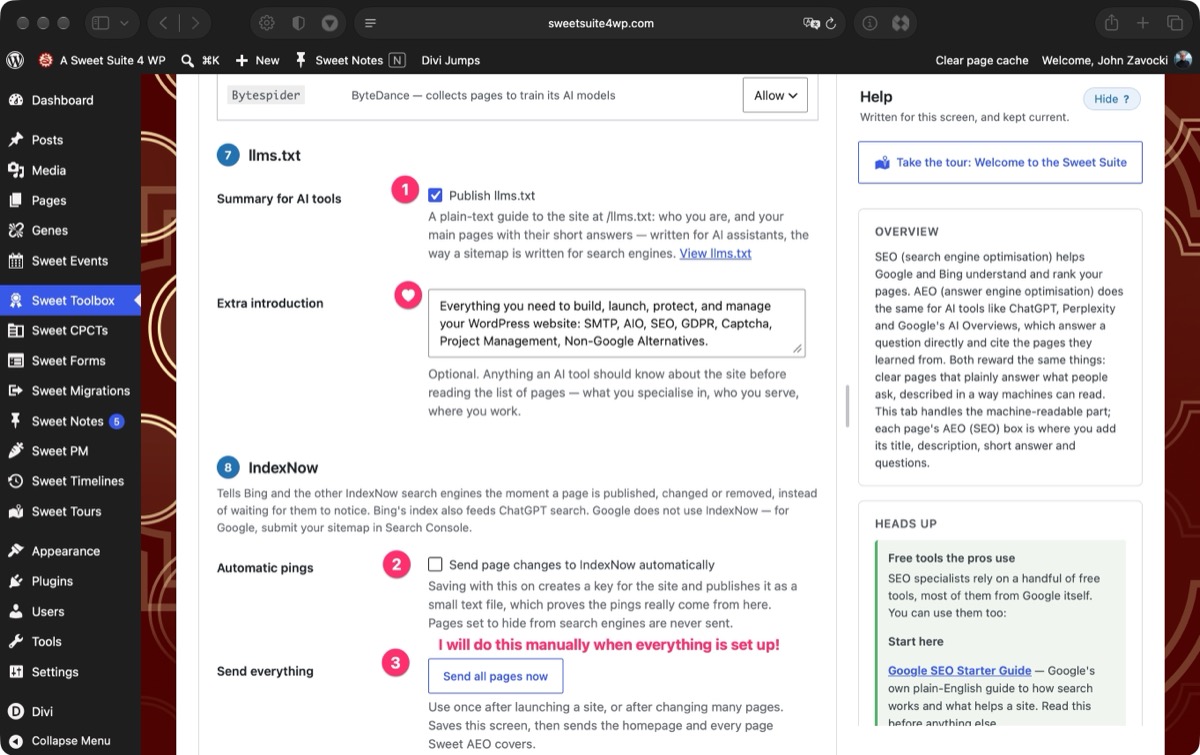
llms.txt — a plain-text guide to your site written for AI assistants, listing your pages and content types in order, so a machine reading your site starts from your own summary instead of a guess.
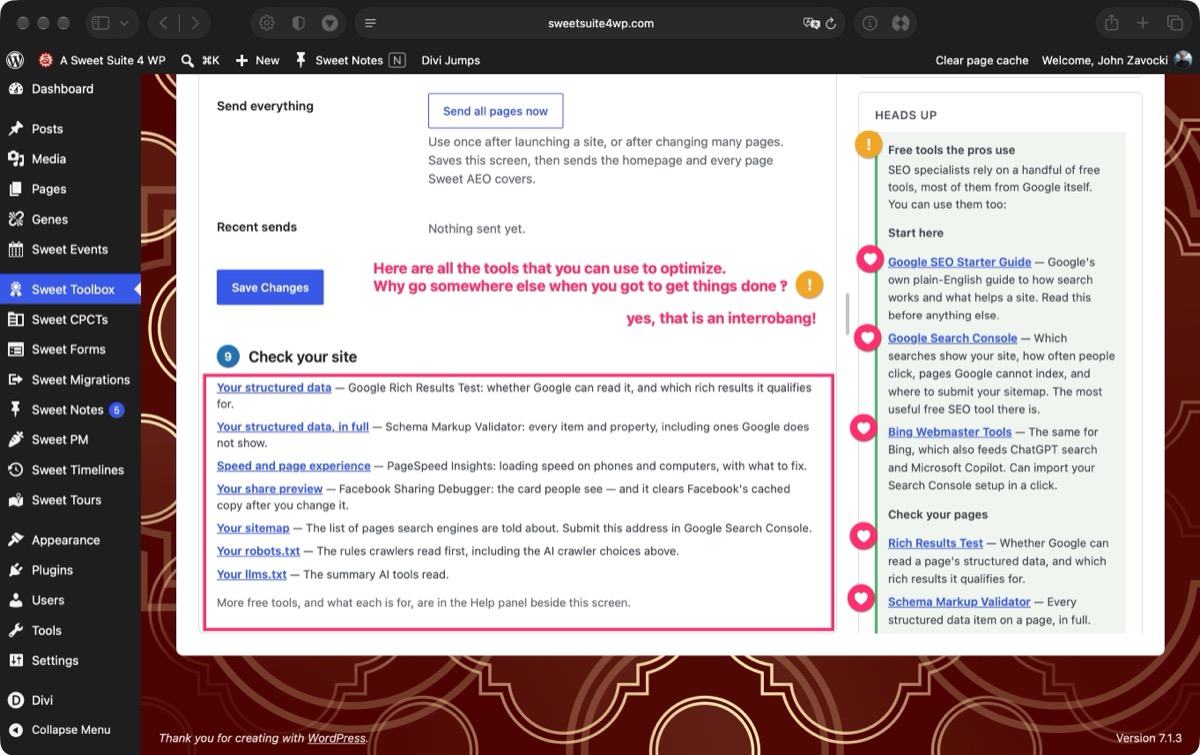
An XML sitemap, canonical URLs and an IndexNow ping when pages change, so new and updated content is found quickly — and found at the right address.
You decide who reads. Block chosen AI crawlers in robots.txt if you'd rather they didn't.
3. Socialize the Teaser - ONLY
You've shaped the content. You've described it. You've written something genuinely good. Now people need to see it — and most of them are on social media.
Here's the part nobody likes to say out loud: social networks are built to keep people on social networks. Every minute someone spends on your site is a minute they're not scrolling, seeing ads, being measured. Many networks quietly show posts with outside links to fewer people. They'd much rather you posted the whole thing there — on their land, under their rules, next to their ads.
So don't give them the meal. Give them the teaser.
A strong opening line, a great image, a reason to click — and a link home. On your site, the reader gets the whole piece, the related pieces, your newsletter sign-up, your booking form, your shop. That's where attention turns into a sale, a member, a client. That's where you can make it pay.
Sweet Social is built for exactly that:
Shares a post when it's published, or at its scheduled time — automatically to Bluesky and LinkedIn, with one-click Quick share for Facebook, Instagram, Threads, X and TikTok.
Writes a caption for each network, cut to its length limit, which you can replace per post. A teaser, sized to fit.
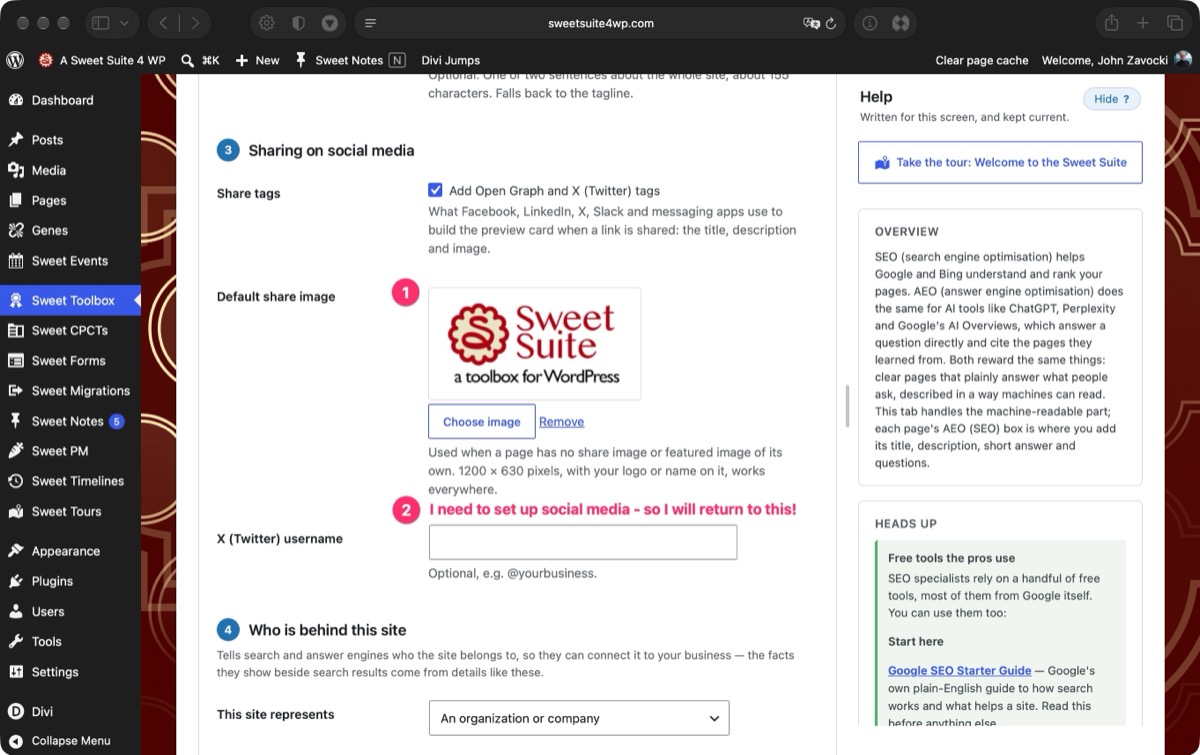
Uses Sweet AEO's share title, description and image, so the card people see on the network is the one you wrote — and the link goes home.
A calendar of what's going out and what went out, by month or week, with a private feed for Apple, Google or Outlook calendars.
4. Analytics squashes Mystery
The post went out. Did anyone come? Which network sent them? Did they read to the end, or leave after one line? Did the event page sell tickets, or did people give up halfway down?
Sweet Analytics answers in plain English — and it's built to answer two questions of equal weight:
- Marketing: are more people coming, and from where? Visits per day, growth, and where visitors came from.
- UX: once they're here, does the site work for them? How far visits get and where they end, attention by content type, first-time and returning visitors, what people searched for and didn't find, and the addresses that led nowhere.
Most analytics tools are built for the first question and leave the second to guesswork. But traffic that arrives and leaves confused is money spent twice. The suite gives both dashboards the same data and the same respect.
And because the tracking code carries your site's own context — content type, section, author, category, length and template — you can see which kinds of content earn attention, not just which pages. The schema.org shape you chose in step 1 becomes a lens in step 4.
Every number comes with the numbers it came from ("↑ 25% (1,200 → 1,500)"), and there's no percentage at all on bases too small to support one. No "up 300%" from three visits to twelve.
... now, go make it better.
This is where the parts become a recipe:
Shape → describe → share → measure → change one thing → measure again.
Try a different teaser. A clearer short answer. A better first paragraph. A form with fewer fields. Then look. Sweet Analytics turns its numbers into plain findings that link straight to the page to edit, so the loop from "this isn't working" to "let's fix it" is one click long.
That's conversion. Not a mystery — a habit.
How the suite makes the joins visible
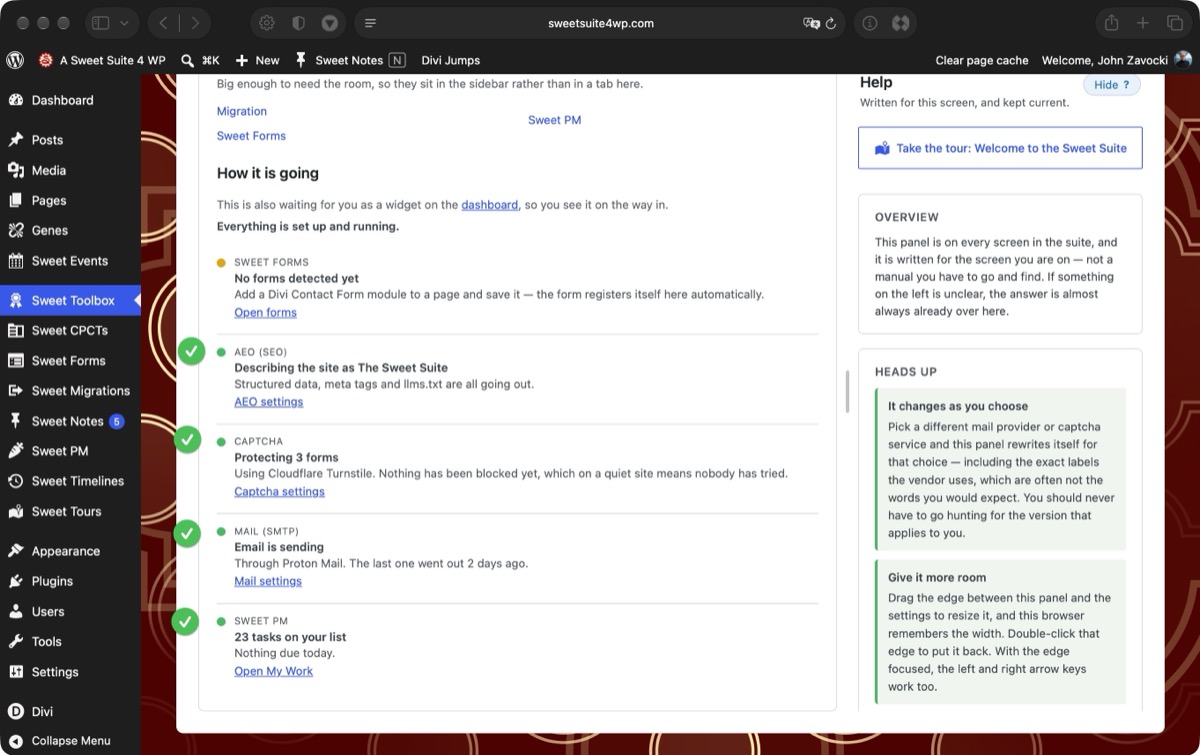
The four plugins aren't four products that happen to share a menu. They read each other:
- AI → Content Types: a free prompt turns schema.org into a template you tick through, so the structure is right from the first field.
- Content Types → AEO: the schema.org type and mapped fields you chose become the page's structured data and its entry in llms.txt.
- AEO → Social: the share title, description and image you wrote become the card on every network.
- Content Types → Analytics: every visit carries its content type, author and section, so reports speak your site's language.
- Analytics → you: findings link to the page to edit.
- Privacy → Analytics: your cookie choice decides how tracking behaves, so nothing ever contradicts your policy.
One site. One login. The relationships on the screen, with help beside every one in plain words — the reason behind each choice, and the jargon translated.
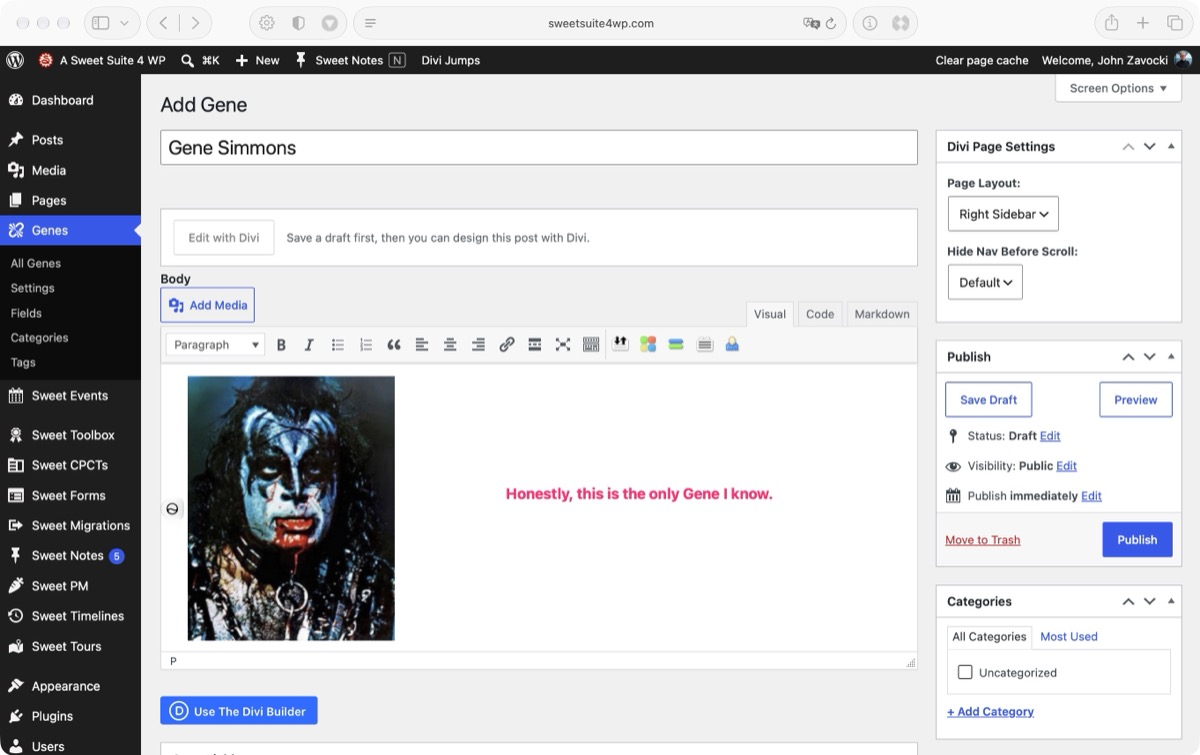
Part 1 : Setting up Custom Post Content Types with Ai and Schema.org
Part 2 : Getting CPCT to work with AEO
Why we lead with Matomo, not Google Analytics
Sweet Analytics connects to Matomo or to Google Analytics 4. Both work. Clients sometimes ask for Google, and that's fine. But Matomo comes first, for four reasons:
Privacy. Matomo can run without cookies at all. With Sweet Privacy, the analytics choice and the cookie notice are the same setting, so your site and your policy can never say different things. Fewer cookies means fewer banners, and fewer banners means visitors who actually see your page.
Tracking — whose data is it? With Matomo on your own hosting, your visitors' behaviour stays with you. It isn't pooled into anyone's advertising profile. Google Analytics is free in money; it's paid for in data. European regulators have spent years arguing over whether sending that data abroad is lawful at all — and "is our analytics legal this year?" isn't a question a small business should have to ask.
Tracking — can you trust it? Many ad blockers and browsers block Google Analytics by default. Blockers catch some Matomo setups too, but one running on your own address is blocked far less often and sees more of your real visitors — so your numbers are closer to the truth, and decisions made on them are better ones.
Affordability. Matomo On-Premise is free and open source, like WordPress. You can host it yourself, or pay Matomo for their cloud if you'd rather not. Either way, there's no "upgrade to see this report".
And the reason that ties them together: UX and marketing deserve equal weight. A tool built to sell advertising will always be best at the marketing question. A tool you own can be just as good at asking does this site work for the people on it?
Own it: the stream forgets, your site remembers
A post on a social network lives for hours. Then it's gone — buried under a thousand newer ones, unfindable unless someone thought to save it. Search inside the networks is poor, the order changes daily, and accounts, features and whole platforms come and go.
Your site doesn't scroll away.
When someone clicks your teaser and lands on your site, they can find that piece again next month. They can find the three related ones. They can sign up, book, buy, bookmark — and they can tell a friend where to look. Every piece you publish on your own site makes the next one easier to find. Every piece you publish only on someone else's makes them richer.
Post the teaser there. Keep the work here.
Receipts: why this matters more in the age of AI
AI assistants learn from the web and answer from it. Some of what they say came from you. The question now isn't only "can people find my work?" — it's "when a machine uses my work, does it know it's mine?"
That's attribution: the receipt that says this person wrote this, here, on this date.
The suite makes the receipt effortless to read:
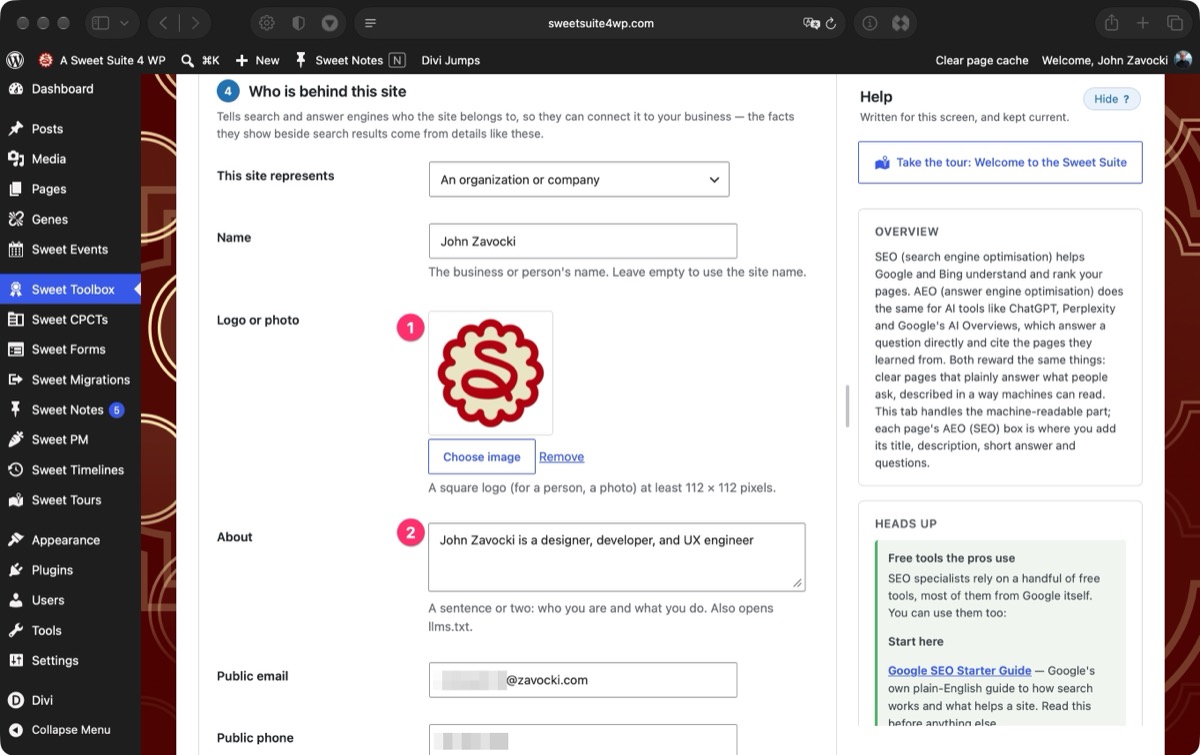
- Every post names its author — a Person, with a link to their page — and the publisher, in its structured data.
- Every page carries its dates — first published and last changed — and its canonical address, the one true home of the piece.
- llms.txt gives AI systems your own summary of your site and your own list of what's on it.
- IndexNow tells search engines the moment something new appears, so the original is found first — before a copy can be.
- robots.txt lets you say no to the AI crawlers you'd rather not feed.
Nobody can force a machine to give credit. But you can make credit the easiest thing for it to give: clearly labelled, consistently structured, on your own address, with your name on it. A piece posted only on a social network has none of that — no canonical home, no structured author, no dates you control.
In the age of AI, your own site is your receipt.
Who it's for
Small organisations with something worth finding.
Venues, charities, studios, makers, consultants, clubs — anyone whose events, services or writing deserve more people than they currently reach.
Studios building sites for them.
Hand over a site that's built to be found, shared and measured — and that the client can understand without a monthly explainer.
Anyone who's paid for "SEO" and never quite known what they got.
What it isn't
Not a magic ranking button.
Nobody can promise a place in search results or in an AI's answer. The suite makes your content as easy as possible to understand and credit. Good content still does the rest.
Not a social media scheduler for everything.
Sweet Social shares posts from your site, to point people back to it. It isn't built for posting standalone content to the networks.
Not anti-Google.
GA4 and Google's search tools work with the suite. Matomo simply comes first.
Not a replacement for bigger SEO plugins
if you need everything they do. Sweet AEO is the simple, removable one, and it tells you if another SEO plugin is active, so two never fight.
FAQs
What's the difference between SEO and AEO?
SEO helps search engines list your page. AEO helps answer engines — AI assistants and search summaries — understand and quote it. Most of what helps one helps the other: clear structure, clear descriptions, clear answers.
Do I need to learn schema.org?
No. Copy the schema.org prompt, tell Claude (or any AI) what the content type is for, and paste the answer back: it picks the type and lists the fields, and you tick the ones you want. Or start from the Event blueprint, which arrives already mapped. The suite writes the structured data on every page after that.
Where do I make a content type?
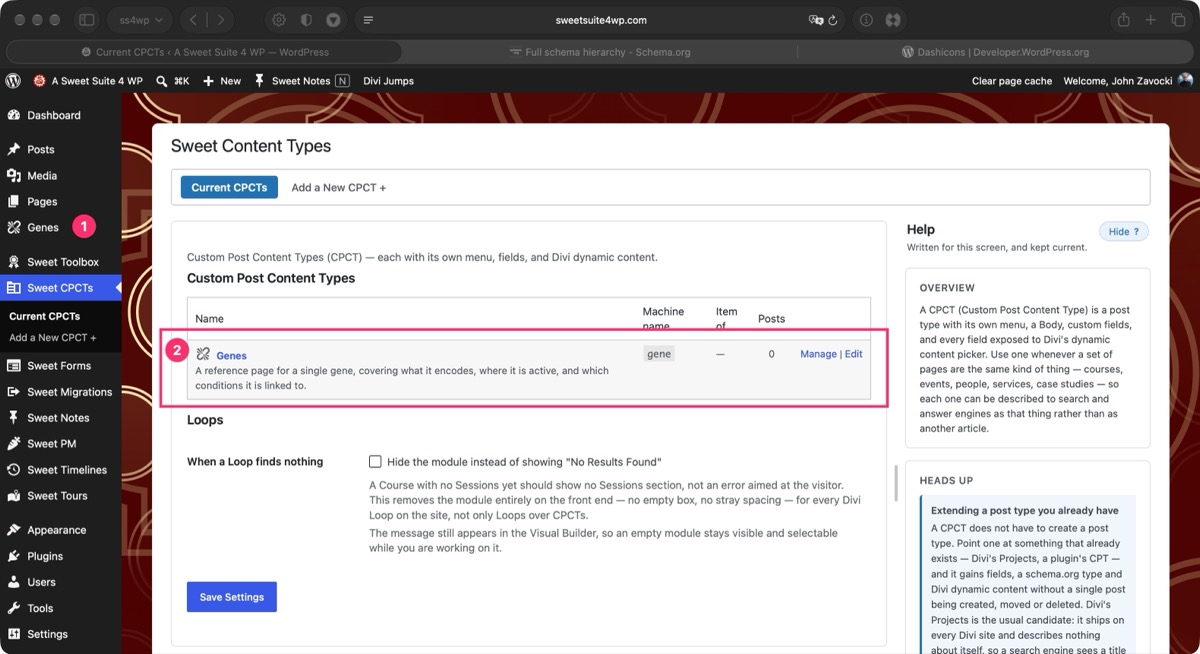
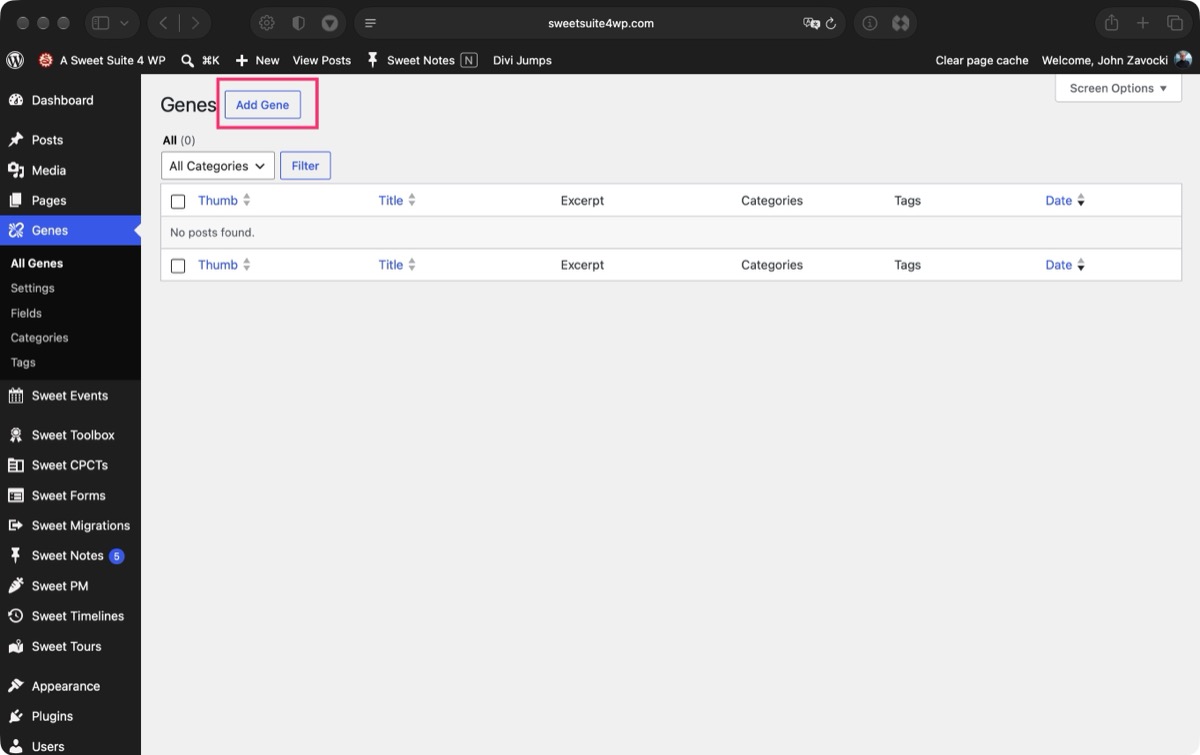
Sweet Content Types has its own menu: Current CPCTs lists them, and Add a New CPCT + makes one — from Blank, the Event blueprint, or a template you paste.
What is llms.txt?
A plain-text file at the top of your site that tells AI assistants what the site is and what's on it, in your own words. Sweet AEO writes and updates it for you.
Why not post the whole article on LinkedIn?
Because then it lives on LinkedIn — under their rules, next to their ads, gone from the feed in a day. Share a teaser, link home, and the reader finds the full piece, the related ones and the way to work with you.
Can I see which social network brought people to the site?
Yes. Sweet Analytics shows where visitors came from, alongside what they did once they arrived.
Do I have to use Matomo? No. Sweet Analytics also connects to Google Analytics 4. Matomo is the one we recommend first, for privacy, data ownership, accuracy and cost.
Can I stop AI companies crawling my site?
You can block chosen AI crawlers in robots.txt from Sweet AEO. Well-behaved crawlers respect it; nobody can promise every crawler will.
The End is Just the Beginning!
Thanks for scrolling down to the bottom of a web page —
if you found something that you liked, please ...